
AI Prompting for Different Industries: The Complete Framework + Templates
Estimated reading time - 6-7 minutes
💡 The 30-Second Summary: Most small businesses don't have an "AI" problem, they have a "briefing" problem. This guide breaks down the Universal 6-Element Framework to help you turn a blank chat box into a high-performing assistant, reclaiming 10 hours of your week without the "corporate robot" tone.
Struggling with AI? You don’t have an "AI" problem; you have a briefing problem.
Most people ask AI questions.
Architects give AI a brief.
What you’ll learn in 5 minutes:
The 6-Element Framework: The "universal key" to professional results.
8 Industry Blueprints: Ready-to-use templates for your specific business.
The 3-Week Plan: How to reclaim 10 hours a week by thinking in systems.
Bottom line: Stop "chatting" and start commanding.

📦 The Blank Box Problem
You’ve figured out ChatGPT exists. Brilliant. But staring at that blinking cursor is the digital equivalent of a writer’s block death sentence. Most business owners treat AI like a search engine... they ask it questions.
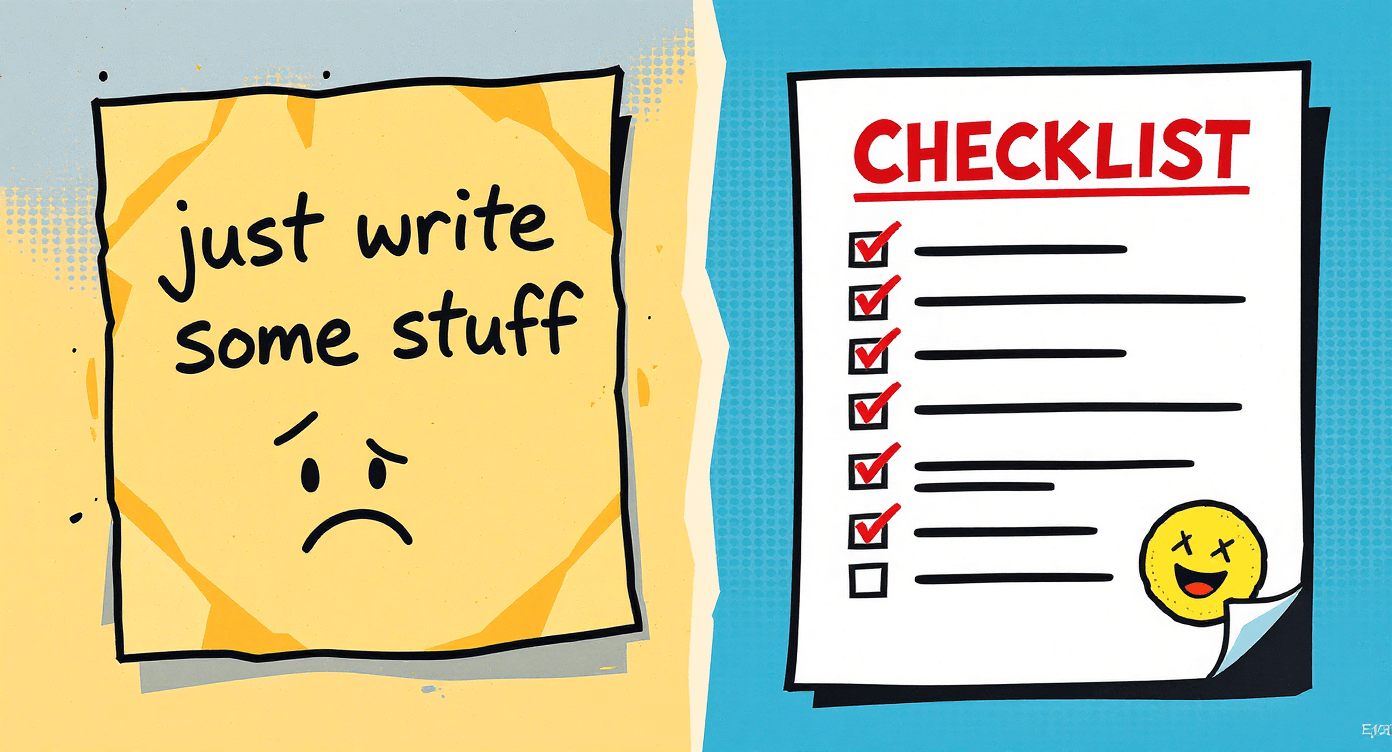
That’s the mistake. To get 10/10 results, you don’t ask it questions; you give it a brief. If you wouldn't hire a freelancer and say "just write some stuff," don't do it to your AI.
What this guide covers:
The 6-element framework for professional-grade results.
8 industry blueprints you can use immediately.
The 3-week takeover to reclaim 10 hours of your life every week
🎁 Free Resource: The Beginner’s Cheat Sheet
Feeling left behind? Don’t drown in technical complexity. Get the SimplifyAI Free Beginner Cheat Sheet—including our 7-day action plan and templates worth £200+.
🔥The Universal 6-Element Framework
Regardless of your industry, every high-performing prompt contains these six building blocks. Use this as your checklist before you hit 'Enter.'
Role: Tell the AI who it needs to be (e.g., "Act as a senior marketing strategist").
Task: Define exactly what needs to be written (e.g., "Write a 3-email sequence").
Context: Explain who the audience is and what their pain points are.
Constraints: Set the boundaries (e.g., "Under 200 words, no exclamation marks").
Examples: Paste a sample of your previous writing to help the AI mimic your voice.
Output: Define the final format (e.g., "Table," "Bullet points," or "Email").
🧠 "Hallucinations" (AI making things up) usually happen because of a lack of context. The more constraints you provide in your prompt, the lower the risk of error.

🧑🏭 Industry-Specific Blueprints
Most people use AI for obvious tasks. To stand out, you need to use it for the stuff your competitors are too lazy to do.
1. Local Service Businesses (Plumbers, Salons, Trades)
Stop letting admin eat into your evenings. AI handles the "back-and-forth" while you’re on the tools.
What’s in the full guide: The "Inquiry-to-Booking" workflow and the "No-Show" recovery system.
The Counter-Intuitive Tip: Don't just write quotes. Feed AI your costs and ask: "Where am I leaving money on the table based on current UK inflation?"
The Quick Prompt: "Act as [Your Trade] following up on a quote sent to [Name]. Ask if they have questions and keep it under 80 words."
📖 Deep Dive: [AI for Local Service Businesses: The Master Library]
2. E-commerce Sellers (Shopify, Etsy, Amazon)
Scale your product listings and customer service without the burnout.
What’s in the full guide: The "Anti-Bland" Description Maker and the Sizing/Fit Specialist prompts.
The Counter-Intuitive Tip: Ask AI to "Read this 1-star review from a competitor and rewrite my description to highlight how we solve that complaint."
The Quick Prompt: "Write a product description for [Product] focusing on [Main Benefit]. Target audience: [Persona]. Tone: [Your Brand Voice]. Keep it under 100 words and start with a scroll-stopping sentence."
📖 Deep Dive: [The E-commerce Seller’s Prompt Vault] (Coming Soon)

3. Coaches & Consultants
Onboard clients and create content structures while you sleep.
What’s in the full guide: The "Welcome Aboard" automated system and the Curriculum Architect outline.
The Counter-Intuitive Tip: Ask AI to play "Devil’s Advocate." Paste your course outline and ask: "Find 3 reasons why a high-paying client wouldn't buy this."
The Quick Prompt: "Act as a coach welcoming [Client] to [Programme]. Write a warm email under 150 words acknowledging their decision to start and explaining the very first step they need to take today."
📖 Deep Dive: [AI Blueprints for Coaches & Consultants] (Coming Soon)

4. Content Creators & Social Managers
Turn one idea into a week’s worth of content without sounding like a repetitive bot.
What’s in the full guide: The "Hook" Laboratory and the Repurposing Matrix (1 post into 10 formats).
The Counter-Intuitive Tip: Stop asking for "viral hooks." Ask for 5 controversial "hot takes" that go against the grain of your industry.
The Quick Prompt: "Create 3 scroll-stopping Instagram hooks for a post about [Topic]. Each hook should target a different emotion: curiosity, FOMO (fear of missing out), and desire."
📖 Deep Dive: [The Content Creator’s Re-purposing Engine] (Coming Soon)

5. Marketing Agencies
Scale your strategy and reporting without losing the human touch.
What’s in the full guide: The "Strategy-in-a-Box" prompt and the "Technical Translator" for CEO-friendly reporting.
The Counter-Intuitive Tip: Use AI to de-jargon your reports so a client understands the ROI in 30 seconds.
The Quick Prompt: "Act as a senior marketing strategist. Summarise these technical campaign results [Paste Results] into a 3-bullet point email for a client. Focus on ROI and 'What this means for next month' in plain English."
📖 Deep Dive: [The Agency Owner’s Automation Toolkit] (Coming Soon)

6. Real Estate & Property Professionals
Move beyond boring listings and become the local authority.
What’s in the full guide: Lifestyle-driven property descriptions and automated "Neighbourhood Concierge" guides.
The Counter-Intuitive Tip: Ask AI to write for the "Hidden Buyer"- specifically an investor looking for yield vs. a downsizing couple.
The Quick Prompt: "Create a property listing for a [Beds/Baths] in [Location]. Instead of listing features, write 150 words 'painting the picture' of a perfect Sunday morning living in this house for a [Target Buyer]."
📖 Deep Dive: [Real Estate Marketing: The AI Advantage] (Coming Soon)

7. Healthcare Admin (Practices & Clinics)
Reduce patient friction and clear the paperwork backlog.
What’s in the full guide: Turning complex post-op instructions into scannable checklists and friction-fixer booking audits.
The Counter-Intuitive Tip: Analyse 50 patient emails to find the #1 thing people are confused about before they arrive.
The Quick Prompt: "Act as a professional medical receptionist. Write a 100-word appointment confirmation for [Patient] for [Procedure] on [Date]. Include a friendly reminder to bring [Requirement] and arrive 10 mins early."
📖 Deep Dive: [Streamlining Healthcare Admin with AI] (Coming Soon)

8. SaaS Companies & Tech Startups
Bridge the gap between your dev team and your end users.
What’s in the full guide: Feature release note revamps and personalised onboarding based on user milestones.
The Counter-Intuitive Tip: Paste your technical Change Log and ask AI to write a "Why This Matters" email for your least technical user.
The Quick Prompt: "We are launching [Feature] which solves [Pain Point]. Write a 150-word announcement email that leads with the time-saving benefit rather than the technical specifications."
📖 Deep Dive: [The SaaS Founder’s Guide to Product Prompting] (Coming Soon)

🚀 Go From "User" to "Architect"
The 6-element framework is a great start. But when the stakes are high, professionals use the SPARK Method (Situation, Persona, Audience, Relief, Key Deliverable).
Stop guessing and start commanding. Get professional-grade results the first time.

🗓 The 3-Week Takeover (The Rule of 21)
If you use AI daily for 21 days, you won't "try prompts" anymore, you'll think in systems.
Week 1: The Sceptic to Capable. Master one prompt for your most common email reply.
Week 2: The Content Creator. Build 3 templates for your marketing—social, newsletter, and website.
Week 3: The Automator. Use AI to document and improve your own work. Create one reusable SOP.
The Chain-of-Thought: Asking an AI to "Think step-by-step" before giving an answer has been proven by Google DeepMind researchers to significantly improve the accuracy of complex tasks.
🌟 The Bottom Line
AI won't run your business for you, but it will handle the 20% of tasks that take up 80% of your time. Treat it like a junior assistant: give clear orders, check the work, and keep the "secret sauce"- your expertise, for yourself.
The difference between a "User" and an "Architect" isn't the tools they use; it's the clarity of their instructions. Start with the framework, use the industry blueprints, and in three weeks, you won't just be using AI... you'll be commanding a system.
Ready to Level Up?
AI won't run your business for you, but it will handle the 20% of tasks that take up 80% of your time.
Treat it like a junior assistant: give clear orders, check the work, and keep the "secret sauce"- your expertise, for yourself.
The difference between a "User" and an "Architect" isn't the tools they use; it's the clarity of their instructions.
Start with the framework, use the industry blueprints, and in three weeks, you won't just be using AI... you'll be commanding a system.
Ready to Level Up?
The Beginner’s Path: Stop feeling left behind.
The Architect’s Path: Ready to master the SPARK Method?


Simplify AI
Making AI make sense -- one prompt at a time
Declaration
Some links on this site are affiliate links.
I may earn a small commission, but it doesn't
cost you anything extra.
I only recommend tools i trust
Thank you for your support
Socials
Location
Based in Mansfield, Nottinghamshire
Simplifying AI for beginners, no matter
where you're starting from.
All Rights Reserved.