Stop Burning Cash: How to Design High-Converting Business Ads in 5 Minutes (Without a Designer)
Estimated reading time - 6 minutes
Most small business ads fail not because of budget but because of guesswork.
This guide shows you three copy-paste prompts that fix your ad inputs, a four-step AdCreative.ai workflow that replaces the blank page problem, and the one strategic mistake that kills otherwise decent ads before they even run.
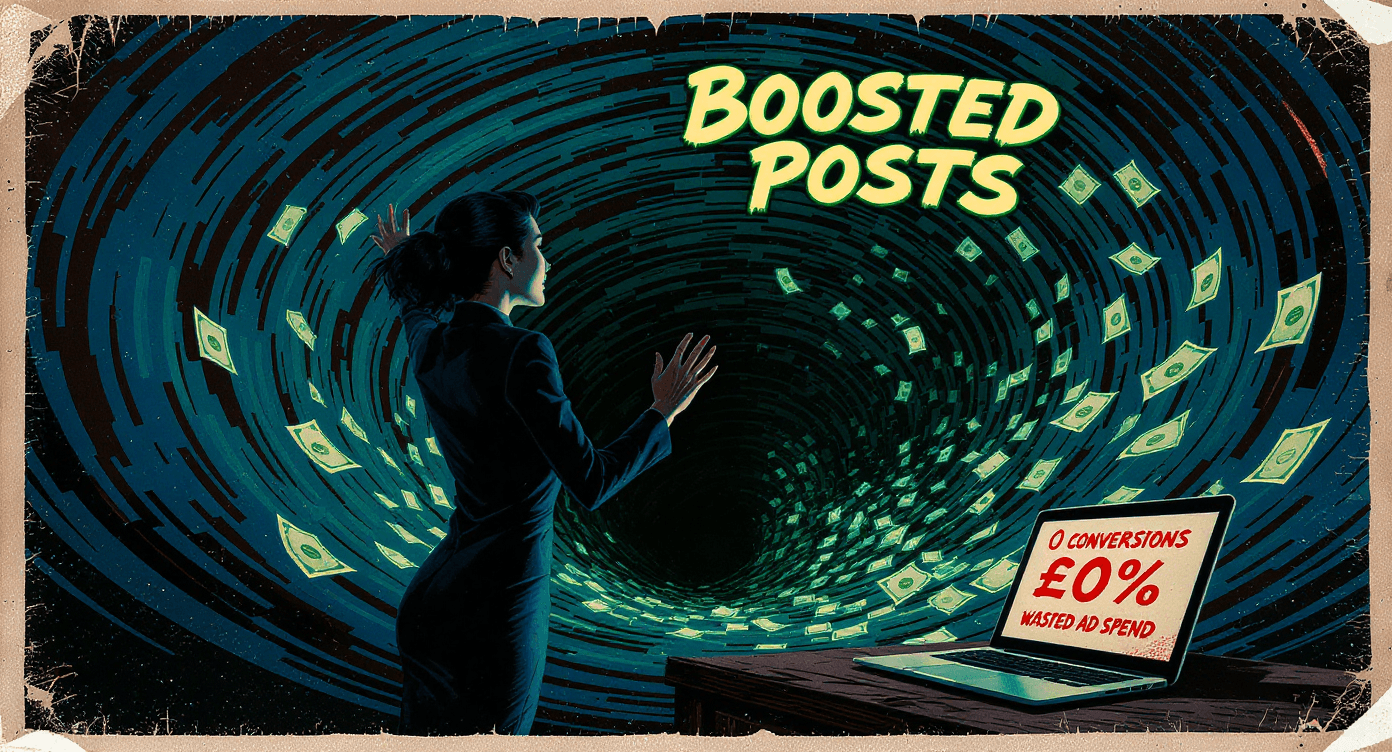
Mark's Tuesday started like every other bloody Tuesday.
Three hours in Canva. A headline he thought sounded punchy. The boost button. £100 gone.
Two likes. Zero sales.
Mark now thinks ads do not work for his business. The truth is harsher. His ad did not work because he built it on a feeling rather than data.
In the split second someone spends scrolling past your business, looking nice is not enough. You need an ad built on conversion logic, not vibes.
This post gives you the three prompts that fix the input problem, a four-step workflow inside AdCreative.ai, and the three mistakes that quietly kill small business ad campaigns in 2026.
By the end you will have everything you need to stop guessing and start seeing a return on your ad spend.

💸 Why DIY Ads Fail in 2026 (And It Is Not Your Budget)
What does a failing small business ad actually look like?
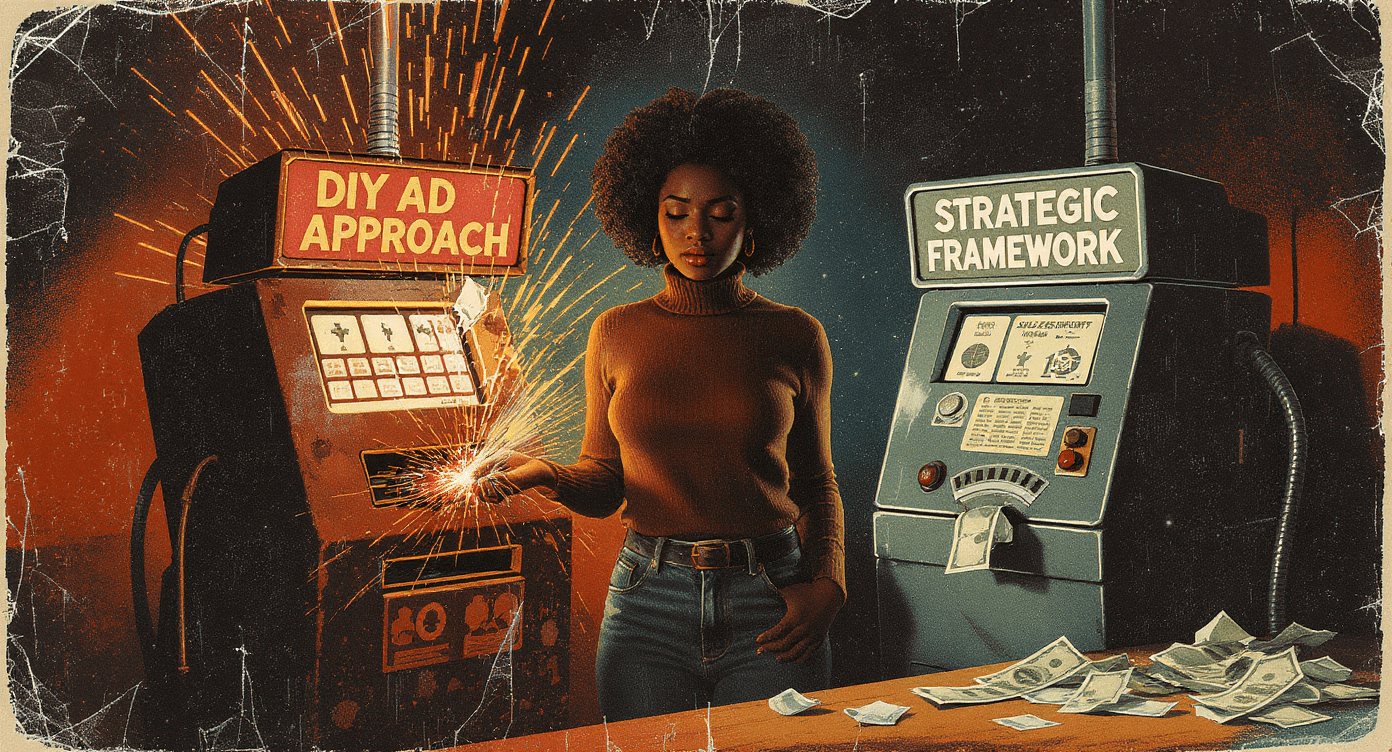
A failing ad looks professional enough but was built on instinct rather than data, which means the layout, headline, and visual hierarchy are all guesses rather than decisions.
Most small business owners approach paid ads the same way they approach organic posts. They make something that looks good and hope it converts. Those are two completely different jobs.
To run high-converting Facebook ads or Google ads in 2026 your creative needs three things working together
Visual authority.
It needs to look like it belongs in a feed, not like a flyer someone made in a hurry.
Conversion logic.
The layout needs to guide the eye to a single clear action. Most DIY ads have three calls to action and convert on none of them.
Data-backed design.
The layouts that work are not random. They follow patterns from millions of ads that have already been tested. Guessing your layout is expensive. Using tested patterns is not.
AI ad tools for small businesses in 2026 close that gap without requiring a designer or a marketing degree. AdCreative.ai case studies show small businesses getting 28-40% conversion lifts when switching from DIY creative to AI-generated layouts.
That range depends heavily on your starting point, your industry, and how good your inputs are. Which brings us to the inputs.
If you are still making the most common mistakes before you even open an ad tool, our 5 common AI mistakes beginners make guide is worth ten minutes of your time first.
🔫 The 3 Prompts That Fix Your Input Problem
Why do AI ad tools produce generic results for most people?
AI ad tools produce generic results when the information you give them is generic. Better inputs produce better outputs every single time.
These three prompts go into ChatGPT or Claude before you open AdCreative.ai. They do the thinking work so the ad tool has something worth building from.
Prompt 1: The Pain Point Extractor
This one finds the real reason people buy, which is almost never the reason business owners think it is.
Copy this:
"List the 3 most frustrating problems my audience faces that make them want [Your Product or Service].
Keep each one under 20 words. Be specific and avoid corporate language."
Paste the three pain points directly into your AdCreative.ai description box. You will immediately see the difference in what it builds compared to a generic product description.
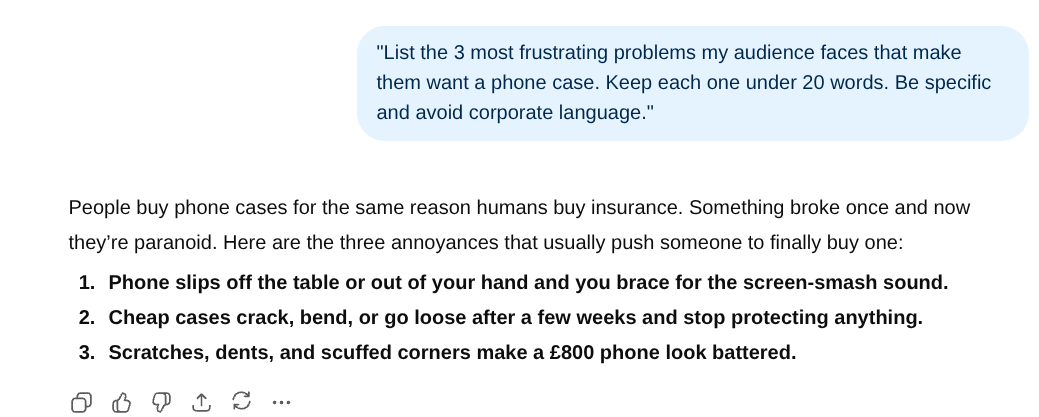
This is what goes into the AdCreative.ai description box. Specific pain points, not a generic product description. The difference in what the tool builds is immediate.
This is what goes into the AdCreative.ai description box.
Specific pain points, not a generic product description.
The difference in what the tool builds is immediate.
Prompt 2: The Hook Generator
Headlines on ads have roughly two seconds to work. This prompt generates five options so you can pick the one that actually fits rather than settling for your first attempt.
Copy this:
"Give me 5 punchy headlines under 40 characters for an ad promoting [Your Product or Service].
Avoid corporate waffle. Make them feel urgent or specific, not vague."
Test two or three of these against each other in your first campaign. The one that wins tells you more about your audience than any amount of research.
Prompt 3: The Scene Setter
AdCreative.ai generates visuals based on the brief you give it. Vague brief, stock photo energy. Specific brief, something that actually feels intentional.
Copy this:
"Describe a high-contrast professional photo representing the benefit of [Your Product or Service].
Focus on the relief or positive feeling the customer has after using it. Include lighting style and setting details."
Paste the description into the visual brief section of AdCreative.ai. The difference in output quality is immediate.
🧑💼 The 4-Step AdCreative.ai Workflow for Beginners
How do you use AdCreative.ai as a complete beginner?
AdCreative.ai is straightforward once you know what goes where. These four steps get you from blank screen to finished ad creative in under ten minutes.
This is not a full tutorial. It is the four steps that matter most for a first campaign.
Step 1: Set up your brand.
Upload your logo and select your brand colours. AdCreative.ai uses these to keep every creative on-brand automatically. Takes two minutes and you only do it once.
Step 2: Choose your ad format.
Select the platform you are running on, Facebook, Instagram, or Google, and the ad dimensions you need. Single image is the best starting point. Do not overcomplicate the first one.
Step 3: Fill in the brief using your prompts.
This is where the three prompts above earn their keep. Paste your pain point into the description field, your best hook into the headline field, and your scene setter into the visual brief.
Do not skip any of them. Generic inputs here produce generic ads.
Step 4: Generate and filter.
AdCreative.ai will produce multiple variations. Look for the one where your eye goes straight to the call to action without being told to.
That is the one with the strongest conversion layout. Download it and run it.
Start with the free trial which gives you ten credits. That is enough to produce your first real campaign creative without spending anything.
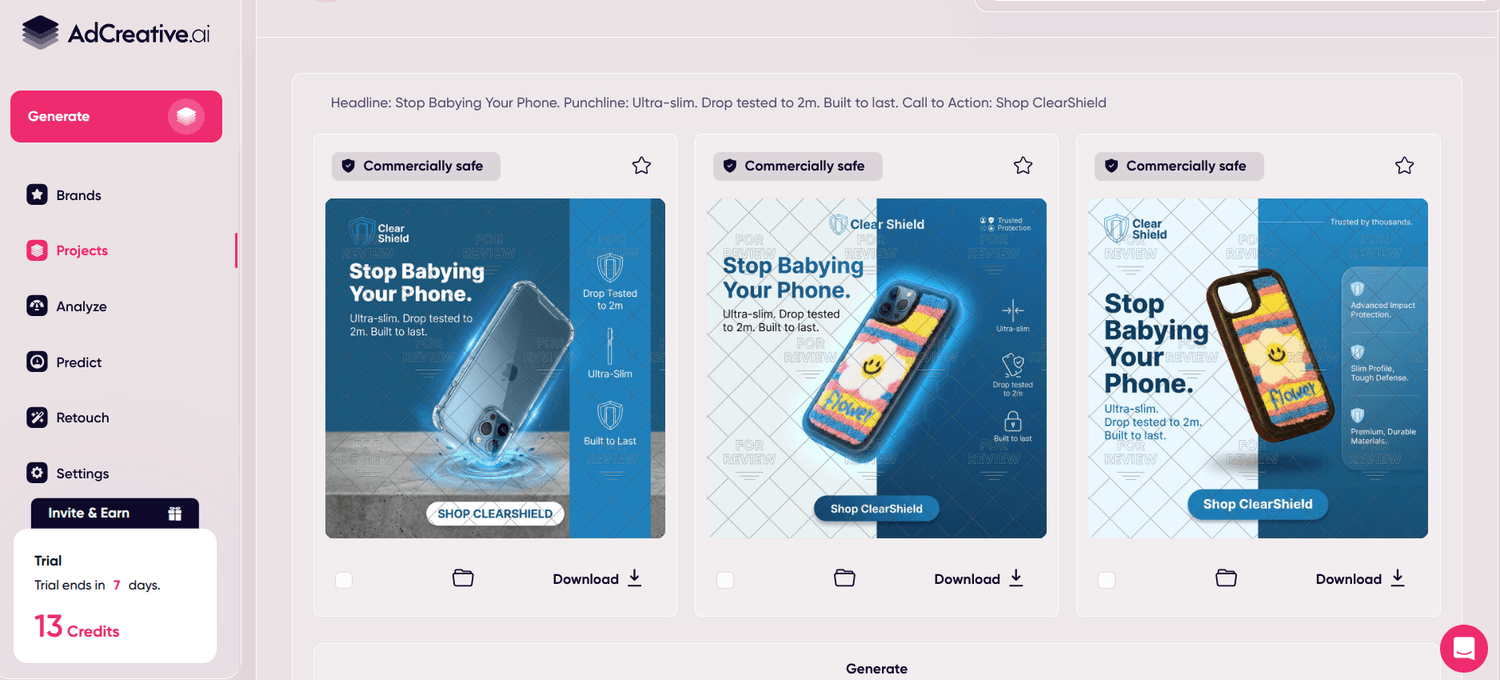
Three finished ad creatives from one brief. Different layouts, same brand, all commercially safe to use. This is what ten minutes inside AdCreative.ai looks like when you give it specific inputs rather than generic ones.
Three finished ad creatives from one brief. Different layouts, same brand, all commercially safe to use.
This is what ten minutes inside AdCreative.ai looks like when you give it specific inputs rather than generic ones.
🪚 Why Strategy Beats Tool Skills Every Time
What is "conversion logic" and why can't AI replace it?
Conversion logic is the strategic thinking behind who you are targeting, what problem you are solving for them, and what single action you want them to take.
AI can execute it brilliantly but it cannot create it from nothing.
Anyone can learn AdCreative.ai in an afternoon. The software is genuinely straightforward.
What most people are missing is not the tool skill. It is the framework that tells the tool what to build.
Full transparency: I do not teach AdCreative.ai tutorials in The SPARK Method. You do not need me for that.
What the method covers is the five-point framework: Situation, Persona, Audience, Relief, and Key Deliverable.
That framework is what transforms a decent-looking ad into one that actually converts, because it forces you to be specific about who you are talking to and what you want them to do before the AI touches anything.
The tool produces the creative. The strategy determines whether the creative does anything useful.
Two businesses can use identical AdCreative.ai settings and get completely different results based on the quality of their brief. The brief comes from the strategy.
The strategy is what the SPARK Method teaches.
⚠️ 3 Ways to Spectacularly Cock This Up (And How to Fix Them)
Mistake 1: Shiny Object Syndrome
The mistake: signing up for every premium plan the moment you see a good result.
AdCreative.ai free trial works. ChatGPT free tier works for the prompts. Spending £200 a month on tools before you have a proven campaign is backwards.
The fix: use the free tier on AdCreative.ai until you have run at least two campaigns and seen a result worth scaling.
Upgrade when the tool is clearly earning more than it costs. Not before.
Mistake 2: Testing Without Tracking
The mistake: running two ad variations and checking which one got more likes.
Likes are not conversions.
Most people have no idea which ad actually drove a sale because they never set up proper tracking before spending the budget.
The fix: before you spend a penny, make sure your Meta Pixel or Google Tag is installed and firing correctly on your thank you page or confirmation screen.
If you do not know what that means, ask ChatGPT to walk you through it for your specific platform before you launch.
Ten minutes now saves weeks of guessing later.
Mistake 3: Running the Same Creative Forever
The mistake: finding an ad that works and running it until the performance falls off a cliff.
Ad fatigue is real.
The same audience seeing the same creative every day stops clicking within two to three weeks regardless of how good the original was.
The fix: generate three or four variations from the start using your prompts and rotate them every two weeks.
AdCreative.ai makes this fast.
You are not starting from scratch each time. You are swapping the headline or the visual while keeping the conversion logic the same.
💡 Your Next Step
Two paths depending on where you are right now.
If ads feel like a stretch right now: grab the Free Beginner AI Cheat Sheet.
It covers how to automate your daily admin and content so you have the headspace to think about growth when you are ready.
If you want to run ads but want your strategy bulletproof first: the SPARK Method gives you the five-point framework that makes every prompt in this guide work harder.
It is the logic layer that turns a decent ad into one that actually converts.
Pick your path or try AdCreative.ai's free trial on your own brand first. What it builds in ten minutes will probably be better than what took you three hours in Canva.
That is the point.

No Jargon AI
Making AI make sense - one prompt at a time
Declaration
Some links on this site are affiliate links.
I may earn a small commission, but it doesn't
cost you anything extra.
I only recommend tools i trust
Thank you for your support
Socials
Location
Based in Mansfield, Nottinghamshire
Simplifying AI for beginners, no matter
where you're starting from.
All Rights Reserved.