Estimated reading time - 8 minutes
Tool Review: This is an educational review of Google Gemini based on research and user experiences. We're not affiliated or compensated. Always verify current features and pricing directly with the service.
You paid £16 for ChatGPT Plus because someone on LinkedIn said "you need AI for your business." Three weeks in, you've used it twice - once to write a product description that sounded like a robot having an identity crisis, and once to generate an email so formal your mate thought he was being made redundant.
Then Google quietly released Gemini 2.0. For free. With features that made your paid ChatGPT subscription feel like that gym membership you never use.

Here's what happened when I switched: created a month's worth of social media content, researched competitors and built a presentation for a Manchester client meeting. Cost? Zero pounds. Time? Less than it takes to watch an episode of The Office.
Google's official Gemini platform confirms that Gemini 2.0 Flash offers advanced reasoning and multimodal understanding with real-time web search—features that would cost £240 annually on ChatGPT Plus. The free tier gives UK small business owners access to capabilities previously locked behind paywalls.
What you'll discover:
Why Gemini might be better than ChatGPT for actual business tasks (spoiler: it's the Google integration)
The free features that normally cost £16-30/month elsewhere
The honest limitations nobody mentions in those breathless tech reviews
Which tool you should actually use (and when)
🧰 New to AI completely? Start with our How to Use AI: 4 Simple Ways Beginners Can Start Today guide first, then come back for the Gemini specifics.
Right, let's skip the boring technical bollocks and talk about what this actually means for normal people trying to run a business without a computer science degree.
Gemini is Google's answer to ChatGPT - but instead of acting like it lives in a vacuum, it's properly connected to everything Google knows. Which, let's be honest, is basically everything.

Here's why that matters:
You ask ChatGPT about current events → Gets confused because its knowledge stops in early 2025
You ask Gemini the same thing → Instantly searches the entire internet and gives you today's actual answer
You need to analyse a Google Doc → ChatGPT makes you copy-paste everything like a medieval scribe
Gemini reads it directly → Because it's made by Google and can actually talk to Google Workspace
Gemini (Free) - Available at gemini.google.com
Everything most beginners actually need
Real-time web search built in
Works with your Google account
Gemini Advanced (Paid) - The paid upgrade
Longer conversations without forgetting context
Priority access when everyone's hammering the servers
Works inside Gmail, Docs, Sheets, Drive
Gemini for Workspace (Business pricing) - The fancy business version
Team collaboration features
Extra security for client data
Admin controls for managing who uses what
Honest assessment: Start with free Gemini. You'll know within two weeks if you need the paid version. Most beginners don't.
Want to understand the technology behind AI tools like Gemini? Our What is AI guide explains the fundamentals without making your brain hurt
📸 Gemini 2.0 Flash (the free version) can process up to 1 million tokens in a single conversation - that's roughly 700,000 words or about 1,400 pages of text. This means you could upload multiple lengthy documents (contracts, research papers, reports) and ask Gemini to analyse them together, something that would hit limits on other free AI tools much faster.
Short answer: Yes, properly free. Not "free trial then surprise billing" free. Actually free.
The catch? There isn't really one, which makes people suspicious. Here's what you get without paying a penny:
Unlimited basic searches and conversations
Real-time web search (ChatGPT charges for this)
Image understanding (upload photos and ask questions about them)
Integration with Google services you probably already use
No credit card needed, no sneaky subscription
Super long conversations that remember everything from 6 hours ago
Priority access when everyone's using it at once
Direct integration inside Gmail and Google Docs
The absolute newest experimental features

Typical AI spending for small businesses:
ChatGPT Plus: £20/month (£240/year) - current OpenAI UK pricing
Various AI writing tools: £10-30/month
Image generation subscriptions: £10-50/month
Annual damage: £360-1,200+
Gemini alternative:
Basic AI tasks: Free
Real-time search: Free (ChatGPT charges for this)
Google integration: Free tier available
Annual cost: £0
I switched from paid ChatGPT to free Gemini in November. Three months later, I've saved £60 and haven't missed a single feature. The only time I open ChatGPT now is when I need its specific creative writing style.

📜 Gemini 2.0 can handle up to 1 million tokens (roughly 1,400 pages of text) in one conversation. Upload multiple client contracts, competitor websites, and research reports simultaneously - analyse everything together instead of processing documents one at a time. This capacity is available on the FREE tier, while competitors often limit this to paid plans."
Let's talk about real tasks normal business owners need, not theoretical AI capabilities that sound impressive in tech blogs but mean sod all in practice.

Blog posts: Give it a topic, get a draft that doesn't sound like a robot wrote it after reading a dictionary
Social media: Creates posts that actually sound human (revolutionary concept, apparently)
Emails: Generates professional messages without the corporate wank that makes everyone cringe
Product descriptions: Makes your stuff sound appealing without the AI tell-tale signs
Real example from my workflow: I use Gemini to draft LinkedIn posts every Monday morning. Takes me 15 minutes instead of 2 hours. The key difference? I actually have time to interact with comments now instead of spending all day writing posts.
The honest bit: You'll still need to edit. Gemini gives you solid first drafts, not publish-ready perfection. But it's infinitely faster than staring at a blank screen wondering how to start.
For more content creation strategies, check out our guide on 7 Beginner-Friendly AI Tools that work alongside Gemini.

Current events: Actually knows what happened this morning (unlike ChatGPT stuck in early 2025)
Competitor analysis: Summarises what your competition is up to without you spending hours on their websites
Topic research: Finds and synthesises information from multiple sources
Document summaries: Reads long PDFs and tells you the important bits
Why this matters: Research that used to take 3 hours - competitor analysis, industry trends, market data - Gemini does in 10 minutes with proper citations so you don't look like you made it up.

This is where Gemini stops being "just another AI" and becomes genuinely useful for people already living in Google's ecosystem.
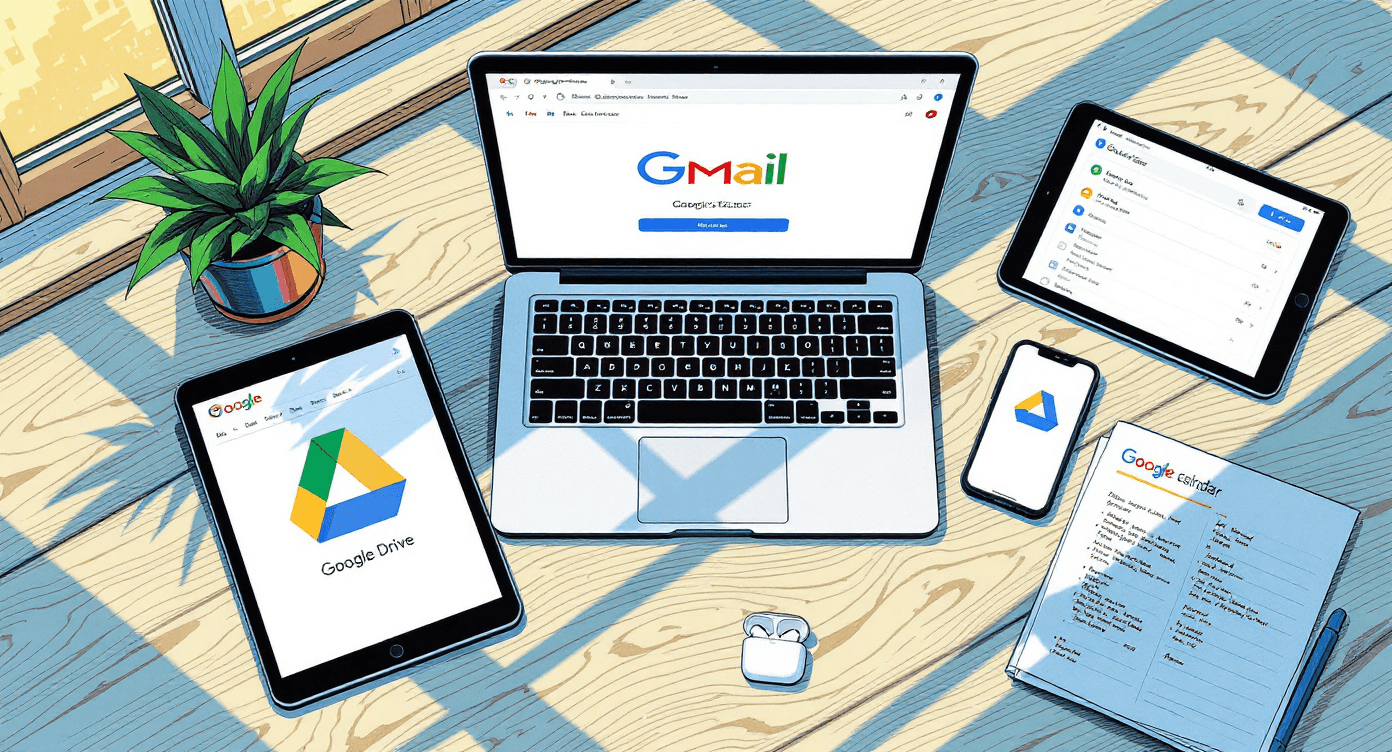
Gmail: Draft responses, summarise long email threads, find information buried in your inbox
Google Docs: Help writing, editing, and formatting without switching tabs
Google Sheets: Analyse data, create formulas, explain what that complicated spreadsheet actually means
Google Drive: Search across all your files, find documents faster than you can manually
Real-world benefit: Client sends you a 47-page contract in Google Docs. Instead of reading the whole thing twice and still missing important details, ask Gemini to summarise the key points and highlight any concerning clauses. Done in 2 minutes.
Google's technical documentation confirms that Gemini's multimodal architecture processes text, images, and code simultaneously, making these integrations genuinely intelligent rather than simple automation. Unlike tools that treat each Google service separately, Gemini understands context across your entire workspace.

Every review says "both are great!" because nobody wants to upset either company. Sod that. Here's the truth from actually using these tools daily.
Use Gemini When You Need:
Current information - Anything happening after early 2025, news, trends, recent events
Google integration - You live in Gmail, Docs, Sheets and want AI to work with your workflow
Free access - Not paying monthly for features you use twice
Research - Pulling information from multiple sources with citations
Business emails and documents - Professional content that doesn't sound like a robot
Use ChatGPT When You Want:
Creative writing - Fiction, poetry, storytelling with more personality
Complex coding - More detailed programming help and debugging
Custom GPTs - Specialised AI tools built by other users
Plugins - Integration with third-party tools beyond Google
Voice conversations - Mobile app with better speech recognition

GEMINI (FREE):
✅ Real-time web search - Built-in
✅ Google Workspace - Free tier
✅ Image understanding
⚠️ Conversation memory - Basic
⚠️ Response speed - Variable
✅ Source citations
CHATGPT (FREE):
❌ Real-time web search
❌ Google Workspace
✅ Image understanding - Limited
⚠️ Conversation memory - Basic
✅ Response speed - Fast
❌ Source citations
CHATGPT PLUS (£20/MONTH):
✅ Real-time web search
❌ Google Workspace
✅ Image understanding
✅ Conversation memory - Extended
✅ Faster response speed
⚠️ Source citations - Sometimes
According to user reviews on G2, common themes include:
What people love:
Free tier is genuinely useful (not crippled like most freemium tools)
Google Workspace integration saves hours for teams already using Gmail/Docs
Real-time search eliminates outdated information
Source citations build trust
What people complain about:
Slower response times during UK business hours
Occasionally gives overly cautious or generic responses
Free tier has conversation length limits that can be frustrating
Not as "creative" or conversational as ChatGPT for certain tasks
The bottom line: Most beginners should start with free Gemini. If you need ChatGPT's specific features after trying Gemini, you'll know. Don't pay for ChatGPT Plus just because someone on LinkedIn said you should.
Understand the broader AI landscape with our What is Machine Learning explainer that shows how these tools actually work.

Every review gushes about how amazing Gemini is. Right, but let's talk about the annoying bits that'll frustrate you if nobody warns you first.
The problem: Gemini confidently states incorrect information like it's reading from an encyclopaedia
Why it happens: AI tools don't "know" things - they predict what sounds right based on patterns
How to protect yourself:
Always verify important facts from original sources
Use Gemini's provided citations to check claims
Never trust AI for medical, legal, or financial advice
Cross-reference critical information
Real disaster from my early days: I used Gemini to research tax regulations for a client proposal, nearly included outdated information. Always verify with official government sources for anything important.

The benefit: Amazing integration with Google services
The downside: If you don't use Google Workspace, you lose half the useful features
Alternative setup: Microsoft 365 user? You might prefer Copilot. Apple ecosystem? ChatGPT integrates better with Siri and Apple apps.
When it happens: UK business hours, especially Monday mornings and Friday afternoons
Why: Everyone's using it at once because it's free and Google hasn't found the sweet spot between access and server capacity
Solution: Draft content during off-peak hours, or upgrade to Gemini Advanced for priority access

Sometimes Gemini's responses sound like they came from an AI training manual - corporate, safe, slightly boring. You'll need to push back with follow-up prompts like:
"Make this less formal and more conversational"
"Rewrite with more personality and British humour"
"Remove the corporate jargon and talk like a human"
Getting better results takes practice. Our Prompt Like a Pro guide teaches you the exact frameworks that consistently get natural-sounding output instead of robot corporate speak.
Full transparency: Some links in this guide are affiliate links, meaning I earn a small commission if you purchase. Only recommending tools I actually use or have thoroughly tested.
Week 1: Get Comfortable (3 hours total)
Day 1 - 30 minutes:
Set up your free account
Go to gemini.google.com
Sign in with your Google account
Complete the quick setup
Try 3 simple prompts just to see how it works
Days 2-4 - 30 minutes each:
Replace one daily task
Day 2: Use Gemini to draft your Monday morning emails
Day 3: Research something you'd normally Google for 20 minutes
Day 4: Create a week's worth of social media post ideas
Days 5-7 - Test the integration:
Open a Google Doc and try Gemini's writing suggestions
Use it to summarise a long email thread in Gmail
Ask it to analyse data in a Google Sheet

Week 2: Find Your Workflow (4 hours total)
Monday: Document what you're spending time on
Track every task that takes more than 10 minutes
Note which ones involve writing, research, or analysis
Identify the 3 most time-consuming regular tasks
Tuesday-Thursday: Test Gemini on your actual work
Choose your #1 time-waster from Monday's list
Use Gemini to complete it faster
Track time saved (be honest)
Note what worked and what didn't
Friday: Decide if it's worth continuing
Calculate actual time saved this week
Identify problems or limitations you hit
Plan which tasks to automate going forward
Consider if Gemini Advanced might be worth it
Track these:
Hours saved per week (minimum 2 hours to be worthwhile)
Quality of output (better, same, or worse than your normal work)
Whether you'd recommend it to a colleague (gut check test)
Frustration level (some learning curve is normal, constant frustration isn't)
Red flags to watch for:
Spending more time editing AI output than writing from scratch
Consistently getting incorrect or irrelevant information
Fighting with the tool instead of it helping you
Checking your phone hoping it'll be different this time

For general business content: Yes, relatively safe. Google's privacy policy covers how they use data.
For confidential client information: Use with caution. Free tier might use interactions to improve the model. For sensitive work, consider Gemini for Workspace with business-grade security.
Never put in Gemini:
Client passwords or API keys
Unreleased product details under NDA
Personal health information
Financial account details

Harsh truth: Yes, if you blindly trust it and don't verify important claims.
How to avoid this:
Always check facts for anything important
Use Gemini's citations to verify claims
Present AI-generated content as "research starting point" not finished work
Never use AI output for medical, legal, or financial advice without professional review

Absolutely. If you can use Google Search, you can use Gemini. You literally just type questions in plain English.
No coding required, no complicated setup, no technical knowledge.
The only "skill" is learning to ask better questions - which you already do when googling things. Same concept, just more conversational.
Then stop using it. It's free. You've lost nothing but a few hours of experimentation.
Some people prefer:
ChatGPT for creative writing and personality
Claude AI for thoughtful analysis and coding
Perplexity specifically for research (I use this daily for deep research - it's brilliant at synthesising multiple sources)
The right tool is whichever one you'll actually use. Don't force yourself to like something because a blog post said you should.

Try free Gemini first for at least 2 weeks. You'll know if you need the upgrade by then.
Upgrade if:
You hit conversation limits regularly
You need priority access during busy hours
Gmail/Docs integration would genuinely save you time
You're using it daily for business-critical work
Don't upgrade if:
You're only using it occasionally
Free tier does everything you need
You're just worried you're "missing out" on features

Try This Before Continuing:
Open a new tab and go to gemini.google.com
Sign in with your Google account
Type this exact prompt: "Write a professional but friendly email declining a meeting request, suggesting we reschedule for next week instead"
Hit enter and wait 10 seconds
Done it? Right, now you understand why people are making a fuss about this tool.
1. Content Ideas: "Give me 10 blog post ideas for a [your business type] targeting [your audience] in the UK. Make them specific and based on current 2025 trends."
2. Email Draft: "Write a professional email to [recipient] about [topic]. Tone should be [friendly/formal/casual]. Include [specific points to cover]."
3. Research Summary: "Research current trends in [your industry] in the UK for 2025. Summarise the top 3 trends and explain why they matter for small businesses."
4. Social Media Posts: "Create 5 LinkedIn posts about [topic] for [your target audience]. Keep them under 150 words, conversational British tone, no corporate jargon."
5. Document Summary: "Summarise this document [paste URL or upload file] and give me the 5 key points I need to know. Explain any technical terms in plain English."

❌ Being too vague: "Write a blog post" gets generic rubbish
✅ Be specific: "Write a 1000-word blog post for UK small business owners about [specific topic], conversational British tone, include practical examples"
❌ Accepting first results: AI gives adequate first drafts, not perfect final work
✅ Iterate and refine: "Make this less formal" or "Add more specific examples" gets better output
❌ Trusting it completely: AI confidently states incorrect information
✅ Verify important facts: Check claims against original sources, especially for business-critical content
❌ Giving up after one bad result: Sometimes prompts need adjustment
✅ Try rephrasing: If output is rubbish, rephrase your question rather than concluding "AI doesn't work"
Here's the honest assessment:
Google Gemini isn't revolutionary. It won't transform your business overnight or solve all your problems. It's not magic.
What it IS: A remarkably capable free tool that can genuinely save you hours every week on writing, research, and routine business tasks - if you actually learn to use it properly.
The reality check:
You'll need 2 weeks to get comfortable
First results will feel weird and slightly disappointing
You'll question if it's worth the learning curve
By week 3, you'll wonder how you managed without it
Tuesday-Most people who "try AI" do this:
Play with it twice
Get mediocre results from vague prompts
Conclude "AI isn't for me"
Go back to doing everything manually
Watch competitors save hours while they're still grinding
Smart approach:
Commit to 2 weeks of actual use
Pick ONE task to delegate to Gemini
Learn what prompts get better results
Gradually expand to more tasks
Actually save time instead of just reading about it
Start simple: Don't try to revolutionise your entire workflow tomorrow. Just draft one email with Gemini today instead of staring at a blank screen for 20 minutes.
That's it. That's the whole thing.

I now create content in a fraction of the time I used to spend. My ChatGPT Plus subscription? Cancelled. My monthly AI expense? Zero pounds.
The hours I spent manually researching and drafting everything? Now spent actually growing SimplifyAI and creating better content for you lot.
Your choice: Keep doing everything manually while reading articles about how AI could help, or spend 30 minutes this afternoon actually trying it with your real work tasks.
The AI revolution isn't waiting for you to be ready. Your competitors aren't waiting either.

🎯 Free Beginner's AI Cheat Sheet
Free AI starter guide covering what AI actually is, how to start with zero experience, and 6 tools you'll actually use (ChatGPT, Claude, Gamma, Rytr, Jotform, Assista). Includes beginner-friendly explanations and avoiding rookie mistakes.
📝 Prompt Like a Pro - Complete Training
Get better AI results in half the time: Prompt Like a Pro shows you exactly how to be specific without being vague, give AI personality, and set boundaries so you don't get 500-word essays about cheese. Includes templates for content creation, business writing, and team collaboration.
Works with ChatGPT, Claude, Gemini, and more. One-time payment of £17.
💡 Want more free resources?
Check out our complete library of beginner-friendly guides covering everything from What is NLP to What is Deep Learning

Quick Start: Go to gemini.google.com and try your first prompt. Takes less time than making a cup of tea.
P.S. Users switching from ChatGPT Plus (£20/month) to free Gemini save £240 annually. Sometimes the best tools don't cost anything - you just need to know they exist
Related reading: 5 Common AI Mistakes That Beginners Make | Claude AI vs ChatGPT | How to Use AI: 4 Simple Ways
About SimplifyAI: We help UK business owners master AI tools without the overwhelm. No fluff, no hype - just practical guidance that actually works

Simplify AI
Making AI make sense -- one prompt at a time
Declaration
Some links on this site are affiliate links.
I may earn a small commission, but it doesn't
cost you anything extra.
I only recommend tools i trust
Thank you for your support
Socials
Location
Based in Mansfield, Nottinghamshire
Simplifying AI for beginners, no matter
where you're starting from.
All Rights Reserved.