AI Collaboration for Small Business: Work WITH AI, Not Against It
Estimated read time: 12-15 minutes
🤝 How to make AI your best business partner
Fiona runs a small marketing agency in Manchester. Last Tuesday, she spent 6 hours creating social media content for three clients, wrestling with design software she barely understood, writing captions that felt forced, and scheduling posts across multiple platforms. By 9 PM, she was knackered, her eyes hurt, and she'd accomplished what felt like very little.

Sounds painfully familiar, doesn't it?
Here's what Fiona discovered: she could have done the same work in 90 minutes using AI collaboration tools - not by replacing her creativity, but by amplifying it to levels she never thought possible.
Quick transparency note:
This post contains affiliate links for tools I genuinely use and recommend. If you purchase through these links, I may earn a small commission at no extra cost to you. I only recommend tools I'd tell my mates about down the pub - no bollocks, just honest recommendations that'll actually help your business.
🌙 What's Keeping You Up at Night?
If you're running a small business in the UK, chances are these frustrations make you want to throw your laptop out the window:

Content creation takes forever - You spend hours writing blog posts, social media captions, and marketing copy that still doesn't quite hit the mark
Design work is a nightmare - You're not a graphic designer, but you need professional-looking materials and can't afford to outsource everything
Customer service overwhelms you - The same bloody questions over and over, eating into time you should spend growing your business
Data analysis makes your head spin - You know you should be tracking metrics and spotting trends, but spreadsheets make you want to cry into your tea
Administrative tasks consume your day - Email management, scheduling, invoice creation - the boring bits that keep you from actual business development
You're constantly context-switching - Jumping between a dozen different tools and platforms, losing focus and momentum faster than England loses penalties

The good news? You're not doomed to work 80-hour weeks forever whilst your competitors somehow manage to post perfect content daily.
Let's explore how AI collaboration can become your most valuable business partner, not your replacement.
New to AI? Start with our What is AI? (And Why You've Already Used It Today) to understand the basics, then check out How to use AI: 4 simple ways beginners can start today for practical first steps.
🧠 Studies show 67% of UK small business owners work over 50 hours weekly, yet only spend 30% of that time on revenue-generating activities. AI changes this ratio dramatically.
✍️ Stop Spending 4 Hours Writing One Blog Post That Still Sounds Rubbish
Remember Fiona's 6-hour content marathon?
The biggest time-waster wasn't the actual writing - it was staring at a blank page like it owed her money, second-guessing every sentence, and rewriting the same paragraph five times because "it just doesn't sound right."

Here's how AI collaboration transforms content creation without making you sound like a robot:
Instead of starting with nothing but existential dread and a blinking cursor, you begin with a solid foundation.
Tools like Rytr (from £7/month) can generate blog post outlines, social media captions, and marketing copy based on your specific industry and tone.
But here's the crucial bit - you're not using it to replace your voice. You're using it to overcome blank page syndrome and get your creative juices flowing again.

Real-world example: Emma, who runs a boutique fitness studio in Bristol, used to spend entire Sunday afternoons writing her weekly newsletter whilst her family watched Netflix without her. Now she feeds Rytr her key points and examples of her best previous content, gets a solid draft in 10 minutes, then spends 30 minutes adding her personality, local Bristol references, and client success stories.
Result: Same engaging quality, 80% less time, and she actually gets to watch Netflix with her kids.
The brutally honest reality: You'll still need to edit, fact-check, and inject your personality. AI-generated content without human oversight often sounds about as engaging as a tax return. But instead of creating from scratch whilst questioning your life choices, you're polishing and personalising - a much faster, less soul-destroying process.
Getting started with Rytr:
Feed the AI tool 3-5 examples of your best previous content so it learns your specific style
Try prompts like: "Write a friendly email to fitness clients about our new HIIT classes, mentioning the health benefits and early bird discount, in Emma's encouraging but not pushy tone"
Always fact-check anything that includes statistics or claims (AI sometimes makes things up with alarming confidence)
Budget 15-20 minutes for editing any AI-generated piece - think of it as collaboration, not automation

Pro tip: Use Autoshort.ai to transform your polished long-form content into multiple social media posts. One blog article becomes 5-7 different social posts, saving another 2 hours weekly.
🧠 Only 24% of UK small businesses currently use AI tools, yet those who do report saving an average of 12 hours weekly... that's 624 hours reclaimed annually per business.
🎨 Create Professional Designs Without Learning Photoshop (Or Crying)
Let's be brutally honest - most small business owners have the design skills of a caffeinated toddler with crayons. You know what looks professional when you see it, but creating it yourself? That's where things get messier than a British summer barbecue.
You've probably been there: spending three hours trying to make a simple flyer in Canva, getting increasingly frustrated as nothing lines up properly, and ending up with something that looks like it was designed in 2003 by someone who'd never seen good design in their life.

AI design collaboration changes this painful dynamic completely:
Gamma transforms this from torture into something approaching enjoyment. Instead of wrestling with complex design software that requires a degree to operate, you describe what you need in plain English: "Create a professional presentation about our new consulting service for potential corporate clients in the finance sector."
Within minutes, you have a complete, properly branded presentation that doesn't make you want to hide under your desk.
Real scenario: James runs a small accounting firm in Leeds and desperately needed client on-boarding materials that didn't look like they were created in Microsoft Word 2007. Previously, he'd either pay £300+ per designer (ouch) or spend entire weekends creating wonky Power points that made him question his life choices.
Using Gamma, he created professional client welcome packets, service explanation slides, and proposal templates in 2 hours. Total monthly cost: £8. Total dignity preserved: priceless.
What actually works in AI design collaboration:
AI excels at layouts, colour schemes, and professional formatting. It struggles with highly specific imagery or complex brand guidelines that require nuanced understanding. You'll get 80% of the way there instantly, then fine-tune the remaining 20% to perfection.
The catch nobody mentions: You'll still need to provide your own photos, logos, and specific content. Think of AI as a talented designer's assistant who never gets moody or charges overtime, not the entire design team.
Implementation tip with specific prompts: Create a simple brand guide document (colours, fonts, tone) that you can reference when prompting AI tools. Try: "Create a modern, professional presentation about financial planning services using navy blue and white colours, clean sans-serif fonts, for corporate clients aged 35-50." This ensures consistency across all your materials and stops you from accidentally creating a rainbow explosion.
Brand consistency hack: Save your best AI-generated designs as templates within Gamma, then use "create similar" for future projects to maintain visual coherence.
📧 Stop Playing Email Tag With Time-Wasters
You know that soul-crushing feeling when you're deep in important work - maybe finalising a proposal that could land your biggest client yet - and ping! Another "quick question" email that's neither quick nor particularly insightful.
Then another.
By the time you've answered three "What are your prices?" emails (despite having a pricing page that's literally one click away), you've completely lost your train of thought and that brilliant strategy you were developing has evaporated faster than motivation on Monday morning.
Here's the depressing truth about customer service: 80% of queries are variations of the same five questions you've answered roughly a thousand times. The other 20% actually need your expertise, attention, and human touch - the conversations that made you start your business in the first place.

AI customer service collaboration saves your sanity without losing the human connection:
AI-powered chat-bots (there are dozens of options from free to premium) can handle routine customer queries without you lifting a finger. Whether you use tools like Tidio, Chatbase, or build a custom solution with CustomGPT.ai, the principle is the same: train an AI assistant on your most common questions, let it handle the repetitive stuff, and alert you only when human expertise is genuinely needed.
Real scenario that'll make you weep with recognition: Marcus runs a speciality coffee roastery in Edinburgh. Before implementing AI collaboration, he'd spend 90 minutes daily answering basic questions about bean origins, grind recommendations, and delivery schedules. Questions that were already answered on his website, but apparently reading is optional in the 21st century.
Now his custom AI chat-bot (trained on his FAQ docs, product catalogue, and customer service scripts) handles these instantly whilst he only gets alerted for custom roasting requests or the occasional coffee enthusiast wanting to debate the finer points of single-origin Ethiopian varieties (the conversations he actually enjoys and that bring in real money).

When AI customer service works brilliantly
Factual questions with clear answers ("What are your opening hours?")
Basic information requests ("Do you deliver to my postcode?")
Standard policy enquiries ("What's your return policy?")
Product specifications ("Is this coffee organic?")
Upset customers needing empathy and understanding
Complex problems requiring nuanced judgement
Situations where something's genuinely gone wrong
Complaints that need genuine human care
Set it to escalate anything beyond basic information requests - you still own the relationships that matter.
Setup reality check with CustomGPT.ai:
Plan 2-3 hours initially:
Gather your FAQ documents (30 mins)
Upload product/service information (30 mins)
Train the chat-bot on your responses (45 mins)
Test with common questions (30 mins)
You'll spend the first month tweaking and refining as you discover what people actually ask versus what you think they'll ask (spoiler: they're often completely different).
Integration tip: Most custom chat-bots can be embedded on your website with a simple code snippet - no technical degree required. Place it prominently on your contact page and product pages where customers typically have questions.

📊 Turn Data Into Decisions (Without Spreadsheet-Induced Breakdowns)
Most small business owners are sitting on goldmines of customer data but have about as much idea how to extract meaningful insights as they do about quantum physics. You know you should be tracking trends, identifying opportunities, and making data-driven decisions, but opening Excel makes your brain hurt and your will to live gradually seep away.
The tragic irony? You're probably already collecting loads of useful data - sales figures, customer feedback, website analytics, social media engagement - but it's all sitting there like ingredients for a gourmet meal when you can barely manage beans on toast.

AI analytics collaboration translates your data chaos into plain English insights you can actually use:
Perplexity isn't just for research (though it's brilliant for that too). Upload your data files and ask questions in normal human language: "What trends do you see in my sales over the past six months?" or "Which marketing campaigns actually drove revenue instead of just pretty engagement metrics?"
It's like having a data analyst who speaks English instead of spreadsheet.
Real application that'll make you jealous: David owns three coffee shops around Birmingham and was drowning in daily sales reports, customer feedback forms, and supplier invoices. The data was there, but making sense of it required more time than he had and more Excel skills than he'd ever possess.
Now he uploads everything to Perplexity monthly and asks for insights in conversational language. Last month, it identified that his weekend afternoon sales dropped 15% after changing his pastry supplier - something completely invisible in his daily routine but immediately actionable once spotted.
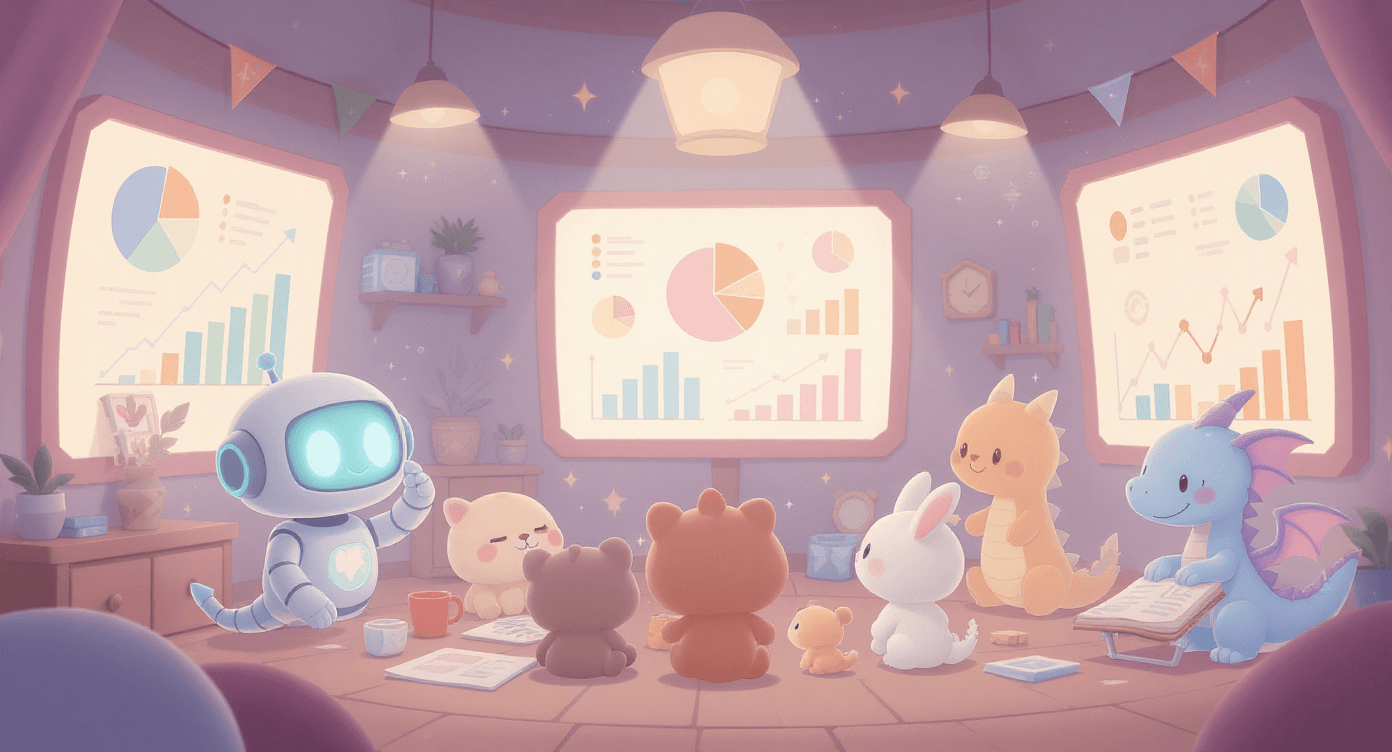
According to recent research from MIT, businesses that use AI for data analysis see average productivity improvements of 25-40%, primarily because they can spot patterns that would take humans hours to identify manually.
What works brilliantly: Pattern recognition, trend identification, and correlation analysis. AI excels at spotting things humans miss in large datasets, especially when you're too close to the day-to-day operations to see the bigger picture.
Realistic limitations: AI can identify correlations but can't always determine causation (remember: ice cream sales and drowning incidents both increase in summer, but one doesn't cause the other). It also struggles with incomplete data or highly specific industry knowledge that requires years of experience to interpret properly.
Specific data analysis prompts that work:
"Analyse this sales data and identify the top 3 factors correlating with our highest revenue months"
"What patterns do you see in customer complaints that might indicate service improvement opportunities?"
"Compare our Q3 performance across different customer segments and highlight the biggest opportunities"

Integration tip: Connect Perplexity with your existing tools by exporting data from your CRM, accounting software, or Google Analytics in CSV format for seamless analysis.
Time investment reality: Initial setup takes about an hour to organise your data properly. Monthly analysis sessions take 30 minutes but can save hours of manual spreadsheet wrestling and provide insights you'd never discover otherwise.
🔓 Escape Administrative Prison (Without Hiring an Assistant You Can't Afford)

Let's do some depressing mathematics that'll ruin your day. If you spend 2 hours daily on administrative tasks - emails, scheduling, invoices, social media updates, form processing - that's 10 hours weekly. Over a year, that's 520 hours you could have spent growing your business instead of wrestling with systems that seem designed to drain your soul.
The truly soul-crushing part isn't just the time lost - it's the constant context switching that turns your brain to mush. You're trying to develop a brilliant strategic business plan, then suddenly you need to chase up three overdue invoices, respond to scheduling emails that could have been handled by a monkey, and update your Instagram because the algorithm apparently punishes you for having a life.
By the time you return to strategy, your brilliant insights have vanished like motivation on Monday morning.
AI automation collaboration handles the mind-numbing bits so your brain stays focused on work that actually matters:
Heygen creates personalised video messages without you having to record dozens of individual videos like some sort of digital hamster on a wheel. Instead of typing generic "Thanks for your order" emails, your customers receive friendly video messages with their name and order details. Personal touch achieved, personal time preserved, sanity intact.

Jotform's AI features automatically sort form submissions and route them to appropriate destinations like a very efficient digital postman. New client inquiries flow to your sales pipeline, support requests get tagged and prioritised, newsletter signups are added to your email list. No more playing email detective at 10 PM wondering which lead came from which source.
Autoshort.ai transforms your long-form content into multiple social media posts, because apparently creating one piece of content and using it once is now considered lazy (thanks, social media overlords).

Combined approach success story: Jenny runs a boutique marketing consultancy in Bath and used to spend every Sunday evening preparing for the week ahead - updating social media, sending client check-ins, organising leads, and generally doing everything except what she actually wanted to do (like having a life).
Now AI handles the routine communication whilst she spends Sundays doing revolutionary things like reading books and talking to humans face-to-face.
Realistic implementation timeline:
Week 1: Pick your single biggest administrative time-waster and automate just that one thing
Week 2-3: Monitor, refine, and fix the inevitable hiccups
Month 2: Add your second automation once the first one runs smoothly
Month 3: Connect systems for maximum efficiency without creating a Frankenstein's monster

Tool integration sequence: Start with Jotform for lead capture (Week 1), add Systeme.io for email automation (Week 3), integrate Heygen for video personalisation (Week 5), then connect Autoshort.ai for content multiplication (Week 7).
Common mistake that'll waste weeks: Trying to automate everything simultaneously like some sort of efficiency-obsessed lunatic. Start simple, perfect one system until it purrs like a well-tuned engine, then expand methodically.
🔧 Create Custom Solutions for Your Beautifully Weird Business Needs
Every business has those oddball requirements that don't fit into standard software boxes. Maybe you need to track inventory in a peculiar way that makes sense to nobody but you, generate reports with unusual metrics that aren't in any template, or manage a workflow that's as unique as your business model.
Traditional software companies assume everyone runs their business exactly the same way, which is about as realistic as assuming everyone takes their tea the same way (clearly wrong - there are monsters who don't add milk).

CustomGPT.ai lets you build AI assistants trained specifically on your business data and processes:
Think of it as creating your own digital employee who actually understands how your business works, instead of forcing yourself to adapt to some generic system designed by people who've never run a business like yours.
Practical example that'll make you think "I need this": Tom runs a small construction company and needed to track project costs, material waste percentages, and client change requests in a way that traditional project management software couldn't handle without extensive (expensive) customisation.
He created a custom AI assistant trained on his past project data that now helps estimate costs accurately, predict potential issues before they become expensive problems, and generate detailed client reports in his specific format that actually impresses clients.
Research from Harvard Business Review shows that businesses using custom AI solutions report 35% better process efficiency compared to generic software implementations.
Step-by-step CustomGPT.ai setup for your business:
Document your process: Write out your unique workflow in detail (1 hour)
Gather training data: Collect examples of past projects, successful outcomes, common questions (30 minutes)
Create your custom AI: Upload documents and train on your specific business language (45 minutes)
Test with low-stakes scenarios: Try simple queries before complex calculations (30 minutes)
Refine based on results: Adjust training data as you discover gaps (ongoing 15 minutes weekly)
Business-specific example prompts:
Construction: "Estimate materials and labour for a 200sqm loft conversion in London, factoring in current material costs and typical overruns"
Consultancy: "Generate a project proposal for digital transformation consulting, including timeline, deliverables, and risk assessment for a 50-person manufacturing company"
Setup reality check: This requires more upfront work than plug-and-play solutions - plan for 3-4 hours initial setup plus ongoing refinement as your needs evolve. But for businesses with unique processes, it's often the only way to get AI that actually fits your specific requirements instead of forcing you to adapt to someone else's idea of how business should work.
📅 Your 4-Week AI Collaboration Implementation Plan (That Won't Overwhelm You)
Week 1: Start With Your Biggest Pain Point
Identify the one task that wastes the most time weekly (be honest, we all have that one soul-crushing activity)
Choose one AI collaboration tool that directly addresses this specific problem
Set up a basic version and test with low-stakes work only
Track time saved meticulously (you'll be genuinely surprised)
Week 2: Refine and Optimise
Adjust your AI tool settings based on initial results and inevitable frustrations
Create templates or prompts for consistency across your team
Train team members if applicable (budget time for the inevitable "how does this work?" questions)
Document what works brilliantly and what needs tweaking
Week 3: Add Your Second AI Collaboration Tool
Pick the next biggest time-waster from your list
Choose a complementary AI tool that doesn't duplicate your existing solution
Focus on integration with your existing workflow rather than replacing everything
Continue tracking results obsessively
Read our 5 Common AI Mistakes That Beginners Make (and How to Fix Them Fast) to avoid typical pitfalls
Week 4: Connect the Dots
Look for ways your AI tools can work together like a well-orchestrated symphony
Eliminate duplicate work between systems (AI collaboration should simplify, not complicate)
Create your ongoing maintenance routine (15 minutes weekly keeps things running smoothly)
Plan your next expansion based on results so far




Common Week 1 Mistakes That'll Waste Your Time:
Choosing tools based on flashy features rather than solving your actual problems
Trying to replace human judgement with AI (it's not ready for that level of responsibility yet)
Expecting perfection immediately (AI needs training and refinement, just like new employees)
Forgetting to measure actual time savings (if you can't measure it, you can't improve it)
Specific time-tracking method: Use a simple spreadsheet with columns for: Task, Time Before AI, Time With AI, Weekly Frequency, Monthly Time Saved. This shows real ROI and helps justify expanding your AI toolkit.
💰 ROI calculation example: If Rytr saves 3 hours weekly on content creation, that's 156 hours annually. At £25/hour (your time value), that's £3,900 saved for a £84 annual investment. ROI: 4,543%.
For comprehensive guidance on choosing your first AI tool, grab our AI Beginner's Cheat Sheet - it cuts through the marketing nonsense and focuses on practical implementation.
🤔 "But What About..." (Your Biggest AI Collaboration Concerns)
"Will AI make my work feel less human and more robotic?"
Actually, it's precisely the opposite, and here's why that matters for your sanity. When AI handles the repetitive, soul-crushing tasks that make you question your life choices, you have significantly more time for the creative, relationship-building work that drew you to your business originally.
Fiona now spends her reclaimed time developing innovative campaign strategies and building client relationships instead of formatting social media posts like some sort of digital formatting slave.

"What happens when the AI makes mistakes that could damage my business?"
It absolutely will make mistakes - that's why every AI collaboration setup should include human oversight built into your processes from day one. The key is using AI for tasks where mistakes are easily caught and corrected quickly, not for anything that could seriously damage client relationships or business reputation if it goes spectacularly wrong.

"Is this too expensive for a small business operating on tight margins?"
Most effective AI collaboration tools cost less than one hour of professional service monthly. Rytr costs £7/month, Gamma is £8/month, Systeme.io is free to start and when you gain more and need to move up it starts at £12/month. Compare that to hiring a designer (£50/hour), content creator (£30/hour), or virtual assistant (£15/hour). The return on investment usually pays for itself within the first week of implementation.
"What if I become too dependent on AI and lose essential business skills?"
This concern is like worrying about becoming too dependent on email, smartphones, or calculators. AI collaboration tools are exactly that - tools that amplify your existing capabilities rather than replacing your decision-making, creativity, or business judgement. You're still running the show and making the important decisions.
"How do I know which AI tools to trust with my business data?"
Start with tools that have clear privacy policies, responsive customer support, and transparent pricing structures. Avoid anything that seems too good to be true or promises to completely replace human involvement. The companies featured in this article all have solid reputations and realistic capability claims.
Studies from McKinsey & Company show that businesses implementing AI collaboration thoughtfully see 20-25% productivity improvements without sacrificing service quality.
Specific AI tool evaluation criteria:
Data security: Look for SOC2 compliance, GDPR compliance, and clear data retention policies
Support quality: Test their response time with pre-sale questions
Pricing transparency: Avoid tools with hidden fees or confusing tier structures
Integration capabilities: Ensure they work with your existing systems
Trial periods: Never commit without testing for at least 7 days
🔒 Data security checklist: Before uploading business data, verify the tool encrypts data in transit and at rest, doesn't train on your data without permission, and allows data deletion on request.
✅ Ready to Reclaim Your Time and Sanity?
The ultimate goal isn't to replace yourself with AI - it's to free yourself from the tedious, mind-numbing tasks that prevent you from doing your absolute best work.
When Fiona eliminated those 6-hour content creation marathons that made her question her career choices, she didn't become redundant or less valuable. She became more strategic, more creative, and significantly less likely to have stress-related breakdowns.
AI collaboration works because it handles what machines excel at (repetitive tasks, data processing, pattern recognition, never needing tea breaks) whilst freeing you to focus on what humans do brilliantly (creative thinking, relationship building, strategic decisions, and knowing when something just doesn't feel right).
If you're feeling overwhelmed by all the options and conflicting advice, you're not alone. There's an enormous amount of AI noise out there, and separating genuinely helpful tools from shiny distractions that'll waste your time and money isn't straightforward.
The skill that separates basic users from power users), check out The SPARK Method - it includes the exact prompts successful business owners use to get professional-quality results from any AI tool.
Success metrics to track:
Time saved weekly (aim for 5+ hours reclaimed)
Task accuracy improvement (fewer revisions needed)
Customer response time reduction (24 hours → 2 hours)
Revenue per hour worked increase (more strategic time available)
Stress level reduction (subjective but important for sustainability)
Next steps for continued improvement:
Month 2: Expand to complementary tools that integrate with your current setup
Month 3: Train team members on your optimised workflows
Month 6: Evaluate advanced features and custom integrations
Month 12: Consider industry-specific AI solutions for competitive advantage
Start with one tool. Solve one problem. Save one hour weekly. That's how you build an AI-powered business that works for you, not against you, and actually lets you go home at a reasonable hour occasionally.
The future isn't about being replaced by AI - it's about partnering with it to build the business you actually want to run, not the one that runs you into the ground.

Simplify AI
Making AI make sense -- one prompt at a time
Declaration
Some links on this site are affiliate links.
I may earn a small commission, but it doesn't
cost you anything extra.
I only recommend tools i trust
Thank you for your support
Socials
Location
Based in Mansfield, Nottinghamshire
Simplifying AI for beginners, no matter
where you're starting from.
All Rights Reserved.