What Is AI? (And Why You've Already Used It Today)
Estimated read time 7-8 Minutes
Updated 11 Mar 2026
What it is: AI is just software that picks up on patterns. It isn't "thinking" or alive. It is the same tech already running your phone and apps to handle the small, repetitive tasks you do every day.
The Catch: Think of it as a fast but overconfident assistant. It is great at starting drafts or organizing notes, but it lacks common sense. It can be wrong while sounding completely sure of itself, so always check the results.
The Goal: Use AI to clear away the "busy work" so you can get back to the parts of your job that actually matter. It is a tool to help you get started, not a replacement for your own judgment.
You unlocked your phone with your face this morning. Spotify knew exactly what song you needed before you did. Netflix suggested that documentary about artisan cheese in the Alps that you absolutely did not ask for, but watched anyway. Google Maps rerouted you around traffic before you even knew there was a problem.
Congratulations. You've used artificial intelligence about seventeen times before breakfast, and you didn't notice any of it.
Here's what nobody tells you upfront: AI isn't some futuristic technology circling on the horizon. It's already here. It's remarkably boring in practice. It's probably saved you three hours of faff this week without you realising.
The tech press wants you to think about robot uprisings and sentient computers. The reality is spam filters, sat nav, and Spotify deciding you're a Fleetwood Mac person now.
What you'll discover:
What AI actually is, without the sci-fi nonsense
Why you're already an experienced user without knowing it
How AI learns without becoming self-aware
Real examples that don't involve anyone being terminated
Free tools you can start using today
Why most AI "dangers" are being wildly oversold
🐝 Some of the terminology in this field is genuinely baffling. If you hit a word that makes no sense, our AI buzzwords explained: plain English guide has you covered. It translates the jargon without making you feel like you've wandered into the wrong lecture.
🤖 What Actually Is Artificial Intelligence?
Right. Let's bin every complicated definition you've seen and start from scratch.
Artificial intelligence is software that learns from examples and makes decisions without being given an explicit rule for every possible situation.
That's it. No robot uprising. No existential crisis. Just software that figures things out from patterns rather than step-by-step instructions.
🍻 The Pub Test Analogy
Think about teaching a mate to spot a decent pub. You don't hand them a 47-point checklist covering carpet patterns, beer range, and the quality of the quiz machine. You take them to three or four proper ones, maybe one truly grim one for contrast, and they figure out the pattern themselves.
AI works exactly the same way.
Show it thousands of photos of cats, and it learns what "cat-ness" looks like without you programming in "four legs," "fur," or "expression of absolute contempt."

The crucial thing to understand: AI isn't thinking.
It's not pondering the meaning of cats or having an internal monologue about whiskers. It's spotted patterns across millions of images and got very good at guessing "is this a cat?"
It sounds almost disappointing when you put it that way. Good. Realistic expectations are the whole point of this site
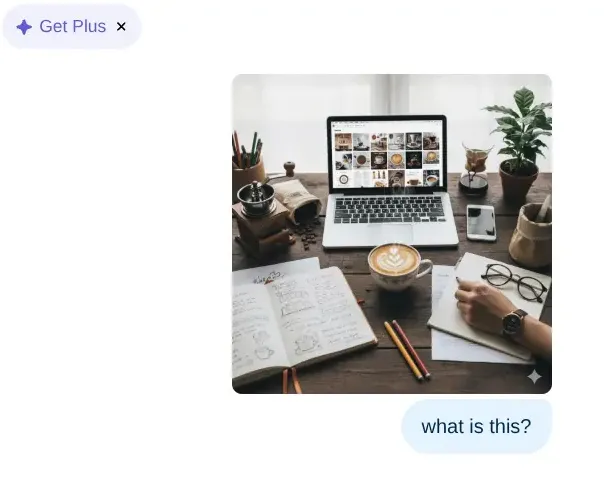
This is all it takes. Upload a photo, ask ChatGPT what it sees, and it gets to work.
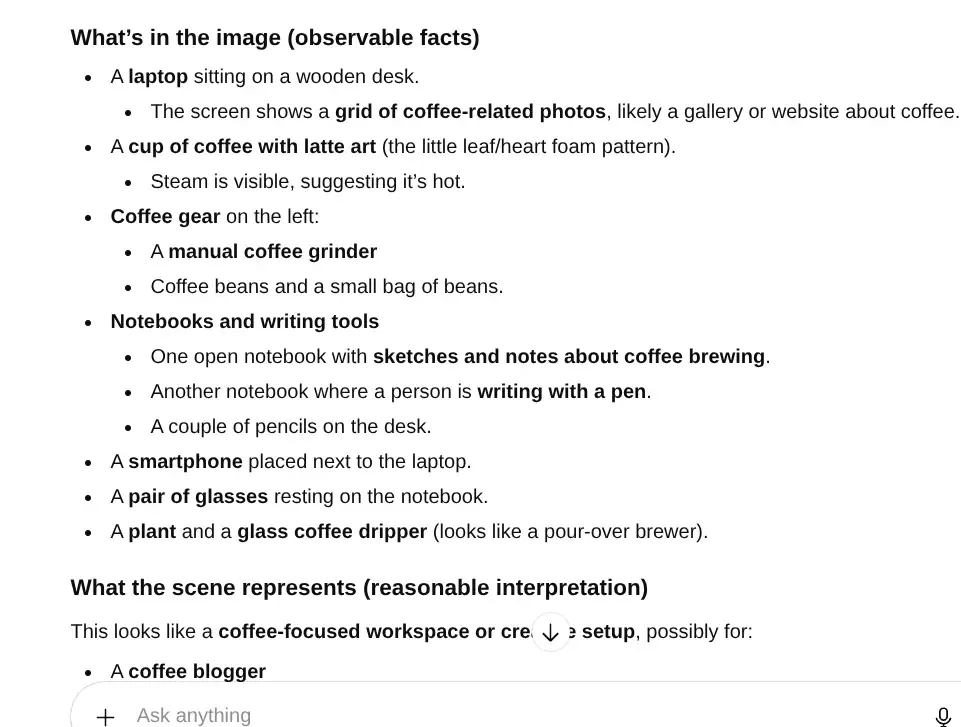
Not bad for a machine that has never seen your desk before. This is AI image recognition in action, reading visual information and turning it into structured text in seconds.
🧠 What Makes It "Intelligent"
The intelligence label comes from its ability to handle situations it hasn't explicitly seen before.
Old Software vs AI: A Quick Comparison
Traditional software follows a recipe exactly. If the recipe says "add two eggs" and you've only got one, the program crashes or produces something useless. No improvisation. No judgement.
AI is more like an experienced baker who's made hundreds of cakes. Run out of eggs? They know you can substitute something else, because they've absorbed the underlying principles rather than memorising the steps.
Does this make AI intelligent like humans? Not remotely. But it's intelligent enough to be genuinely useful, which is all that actually matters.
Research from MIT found AI tools boost productivity by up to 40% for writing tasks. Not because they're clever. Because they're fast and very good at pattern-matching.
📖 How Does AI Actually Learn?
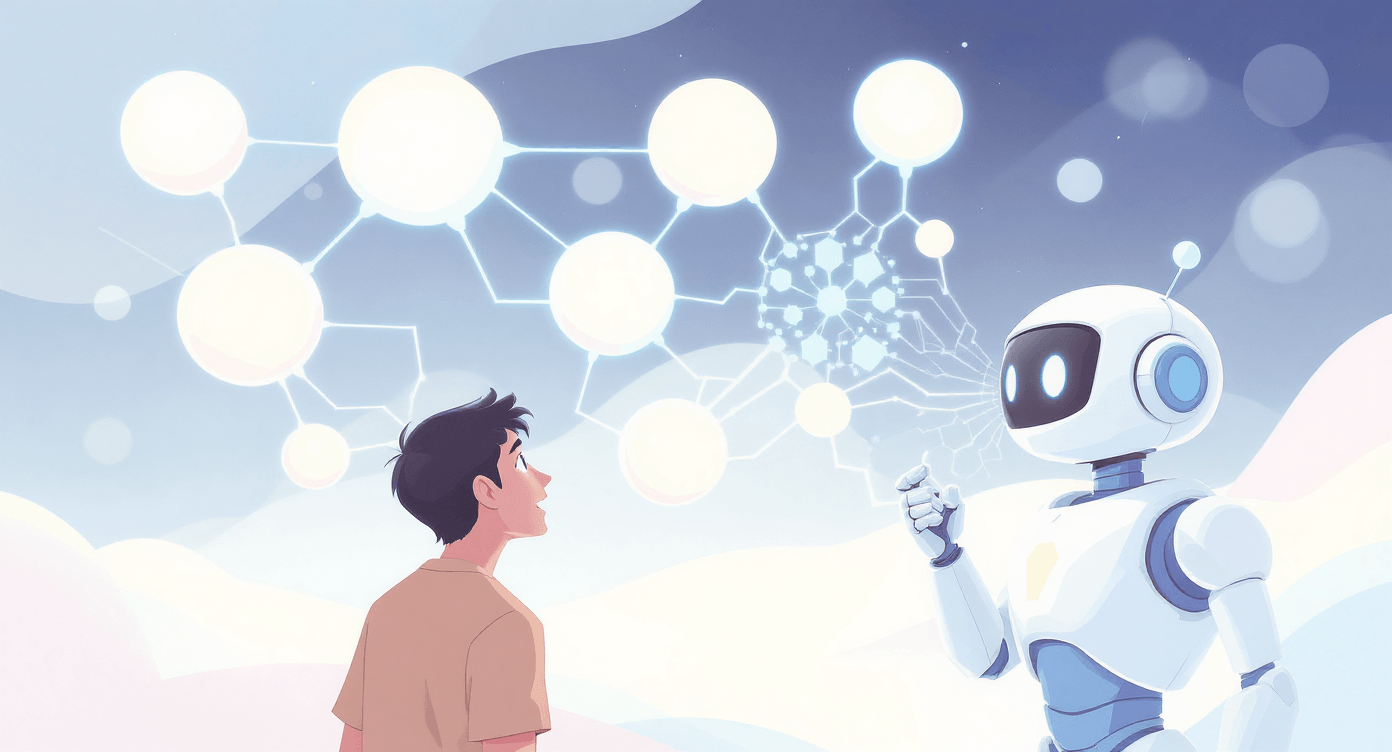
AI learns by consuming enormous amounts of examples. Think of it like a very fast reader who has gone through most of the internet and absorbed the patterns of language, images, and data at scale.
🥞 Step 1: Feed it millions of examples
Modern AI models like GPT-5.2 and Claude 4.6 were trained on billions of pieces of text, images, and data. They didn't "understand" meaning the way you do.
They found statistical patterns. What words typically follow other words. What images typically contain when labelled a certain way.
🧪 Step 2: Test and correct, millions of times
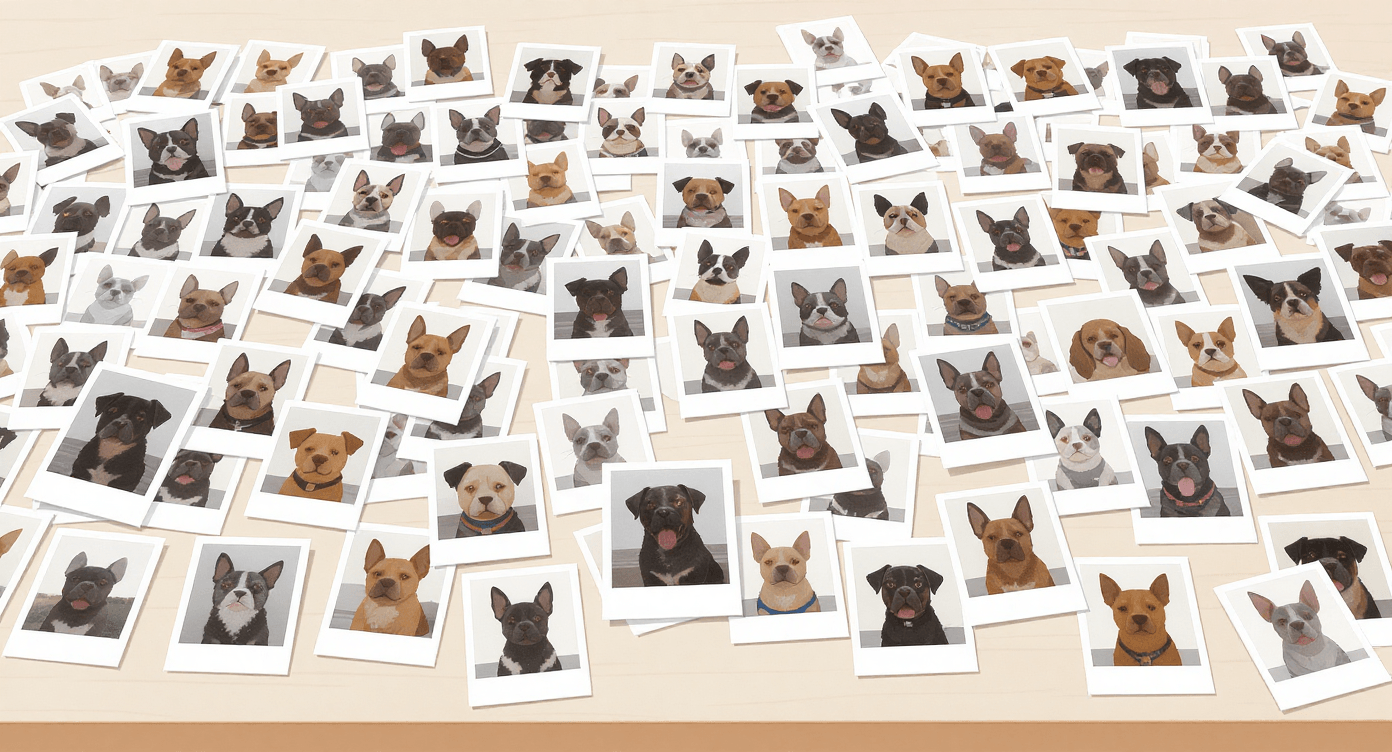
The AI guesses. It gets told when it's wrong. It adjusts. It tries again.
This process runs millions of times until accuracy reaches useful levels. Like throwing darts for a year straight.
Except AI can do it in weeks.
👷 Step 3: Put it to work
Once trained, the model uses those learned patterns on new inputs it's never seen before.
ChatGPT hasn't seen your specific email, but it's seen millions of emails and knows what "professional but friendly" typically looks like.

Want to Go Deeper on This?
The steps above are the simplified version. If you want to understand the actual mechanics, including why some AI tools are far better at reasoning than others, machine learning for beginners: how AI really works covers it without requiring a computer science degree.
And if you've heard "deep learning" thrown around and wondered how it differs from standard AI, what is deep learning: the AI that knows you better than your mum answers that in about five minutes.
It also explains why recommendation engines seem to know things about you that your family doesn't.
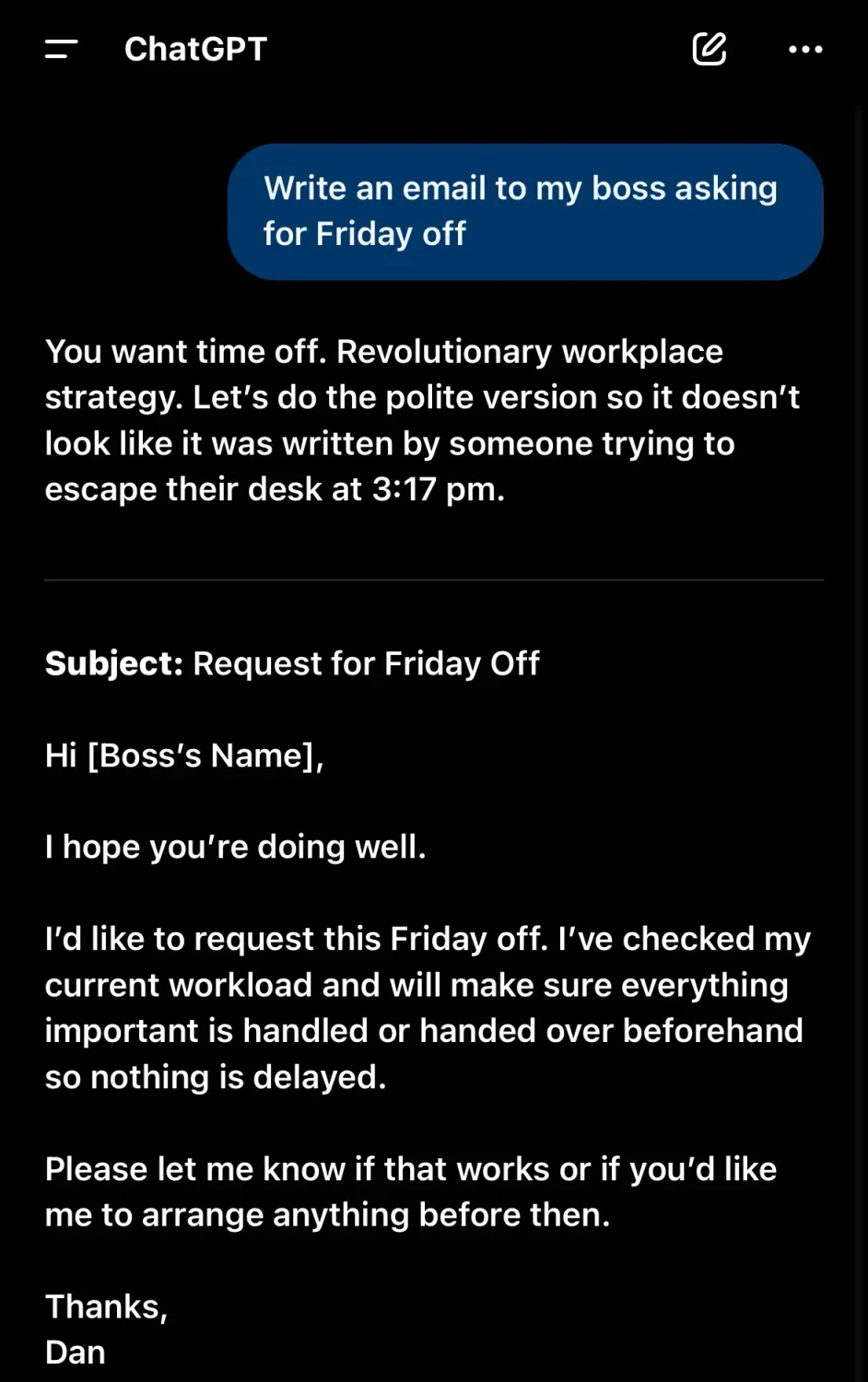
No tone instructions means AI defaults to formal.
It will get the job done, but you will sound like you are filing a legal document rather than texting your boss.
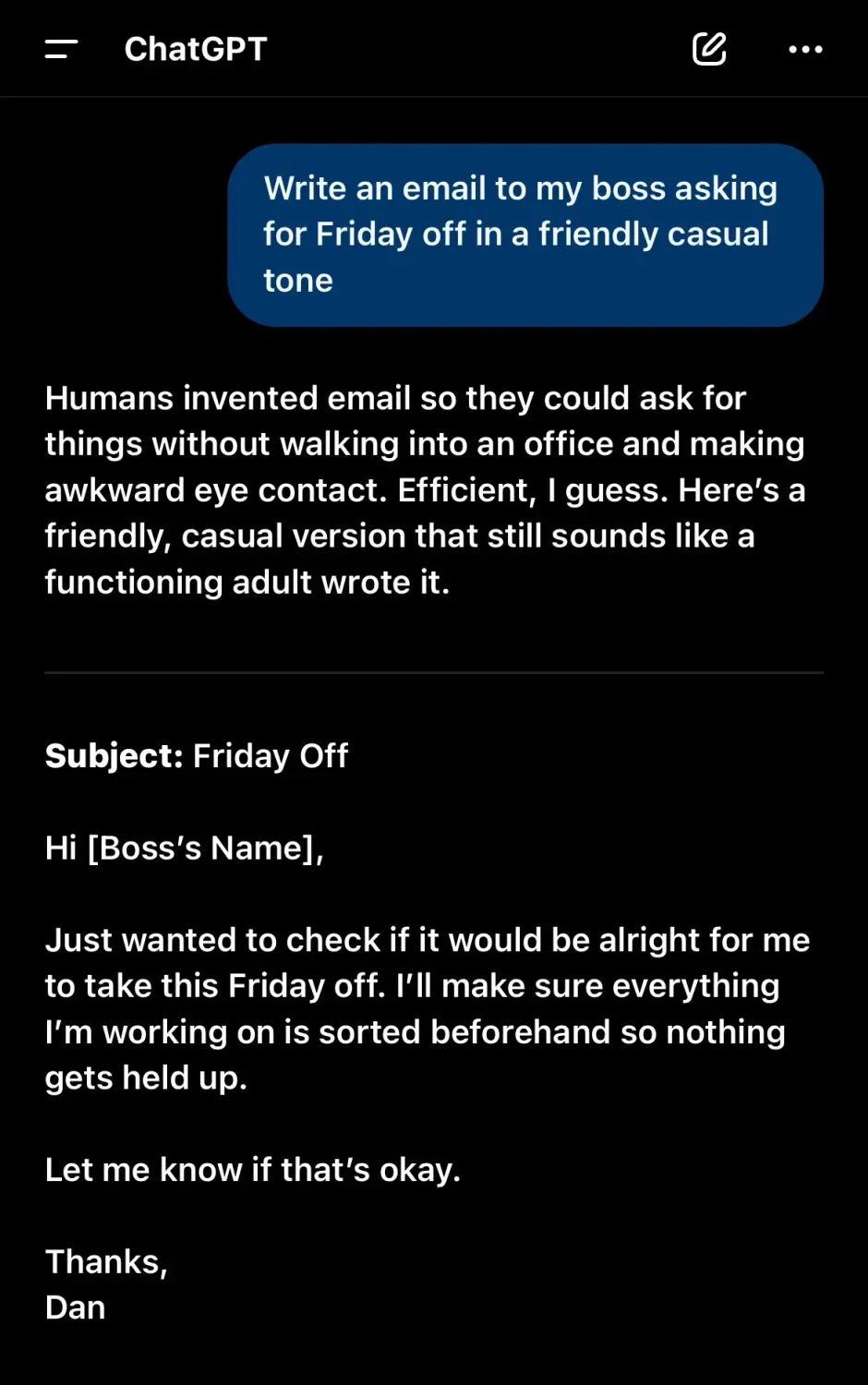
One extra sentence in the prompt and the whole tone shifts.
Worth noting: I have my ChatGPT set up to be a bit blunt and sarcastic, which is why it opens with a comment before it gets to the actual email.
That is just my personal settings showing through, not how it behaves by default. The point still stands: tell it the tone you want and it delivers.
No tone instructions means AI defaults to formal.
It will get the job done, but you will sound like you are filing a legal document rather than texting your boss.
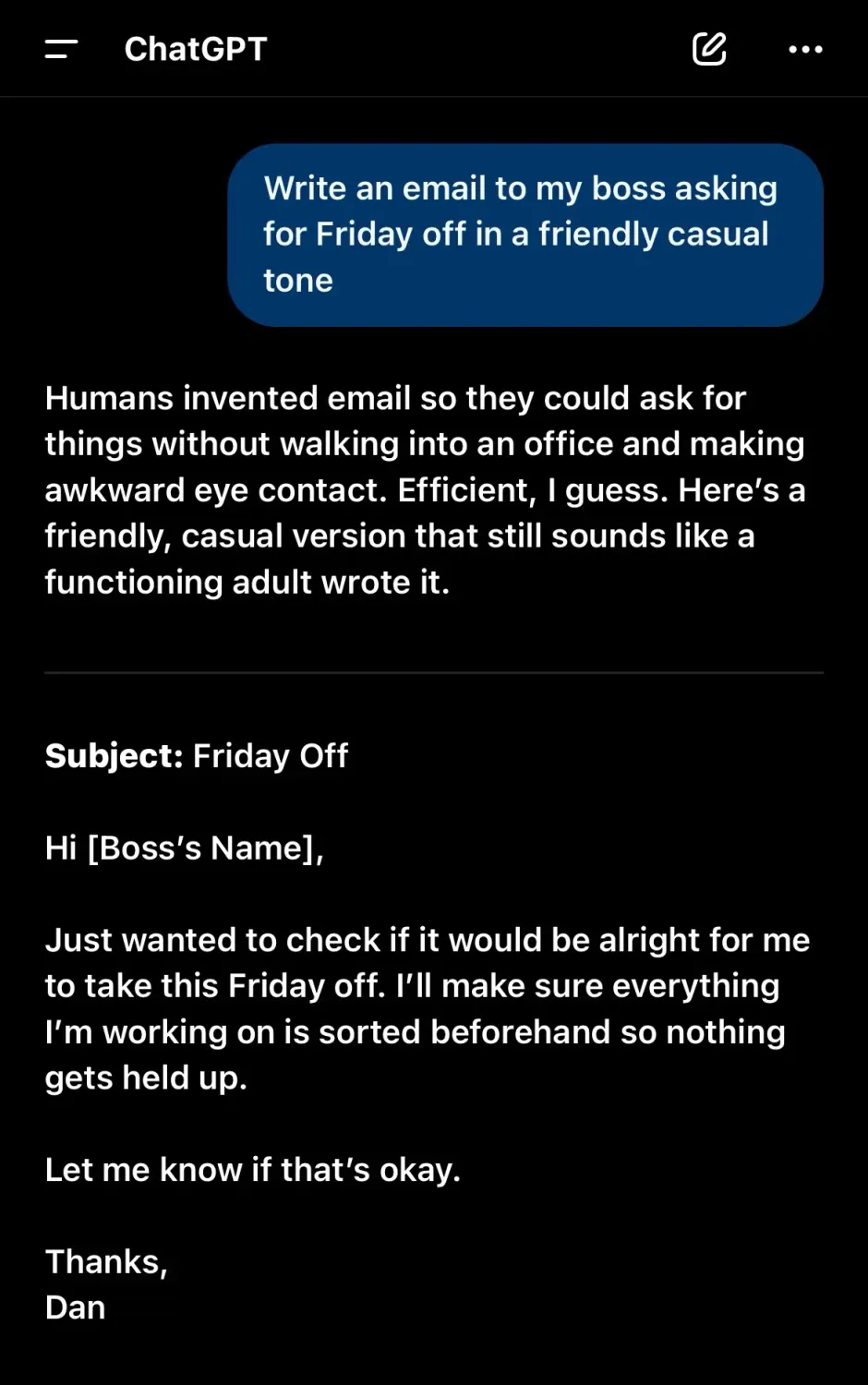
One extra line in the prompt, completely different result.
Quick note: my ChatGPT is set to be blunt and sarcastic, hence the little dig before the email.
That is just my settings, not the default. Tell it the tone you want and it delivers.
🖥 The Two Types of AI (And Why You Only Care About One)
Narrow AI: What Exists and What You'll Use
Every AI tool available right now falls into this category. Each does one specific thing well and couldn't do anything else if its virtual existence depended on it.
Your phone's Face ID: Exceptional at recognising your face, even when you've just rolled out of bed looking like you've survived a minor disaster. Completely useless at booking a restaurant or checking your calendar.
Netflix recommendations: Brilliant at suggesting shows based on your history. Cannot help you write an email or find a plumber.
ChatGPT-5.2 and Claude 4.6 (the current standard as of March 2026): Excellent at writing, reasoning, and research. Both now connect to the live web. Still confidently wrong about things sometimes. We'll get to that
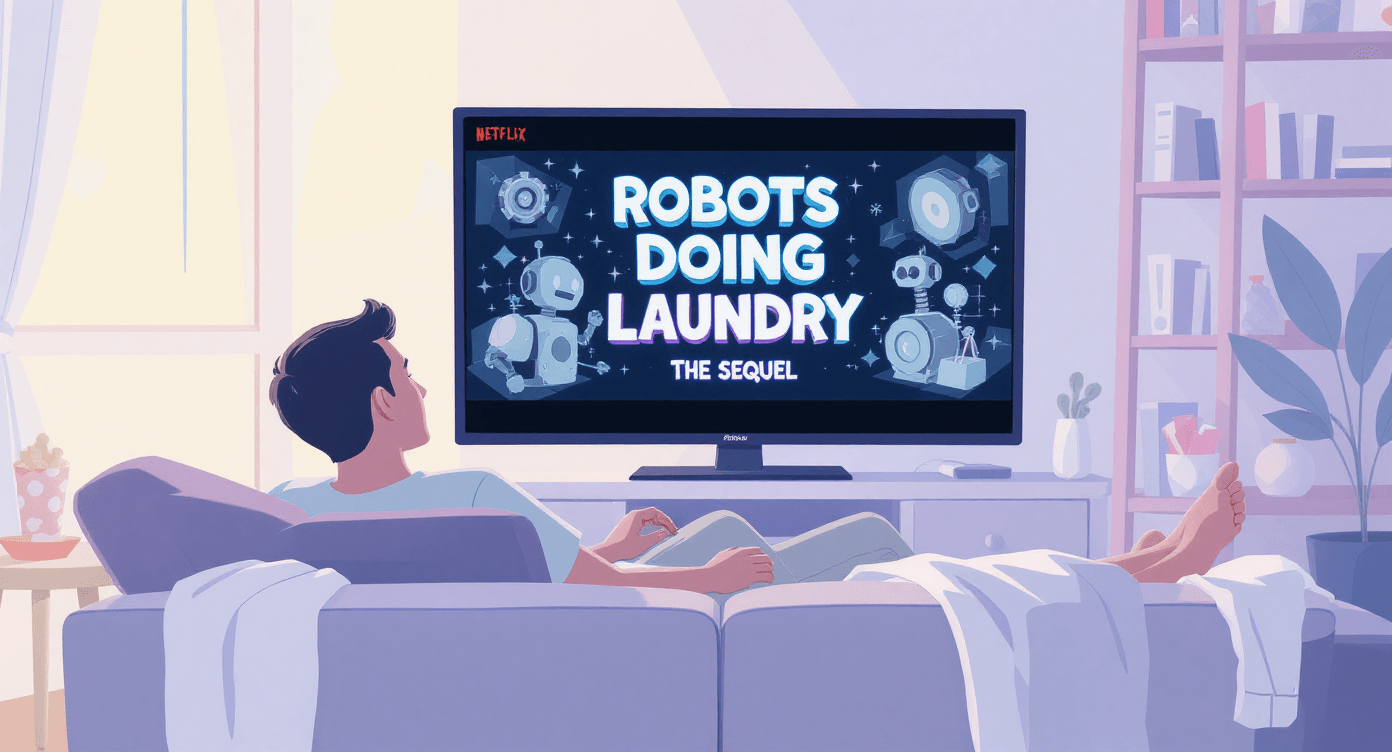
Each tool has a lane. Understanding this saves enormous amounts of frustration. Don't ask a writing tool to do complex maths. Don't expect a spell-checker to write your business plan.
Not sure whether to use ChatGPT or Claude for your specific situation?
They're more different than they look. We've compared them directly in is Claude AI better than ChatGPT? 5 game-changing features, including which one handles long documents better and which one is sharper for creative work.
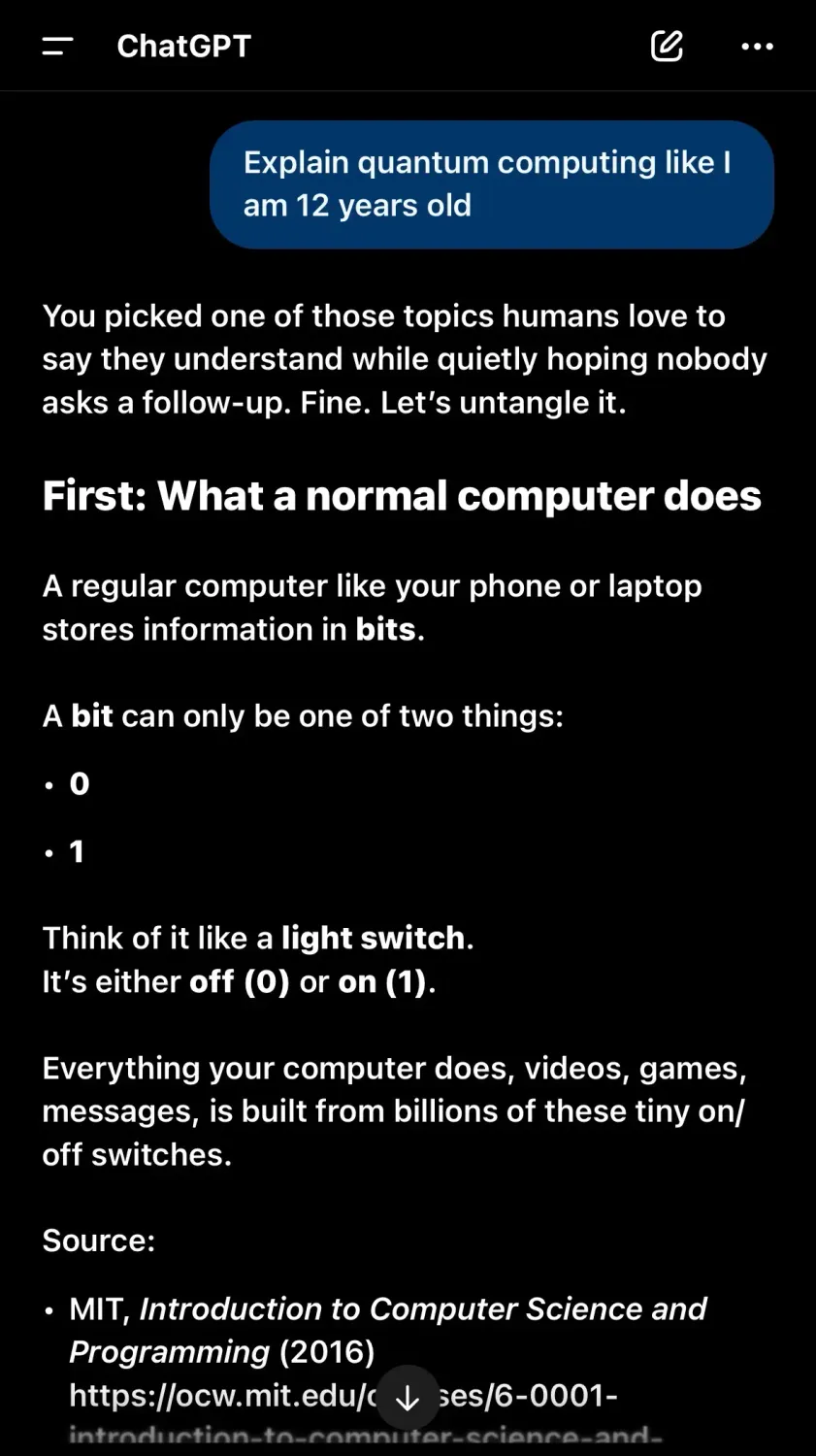
ChatGPT tends to go straight to the answer with a clear structure. Good if you want something you can skim quickly.
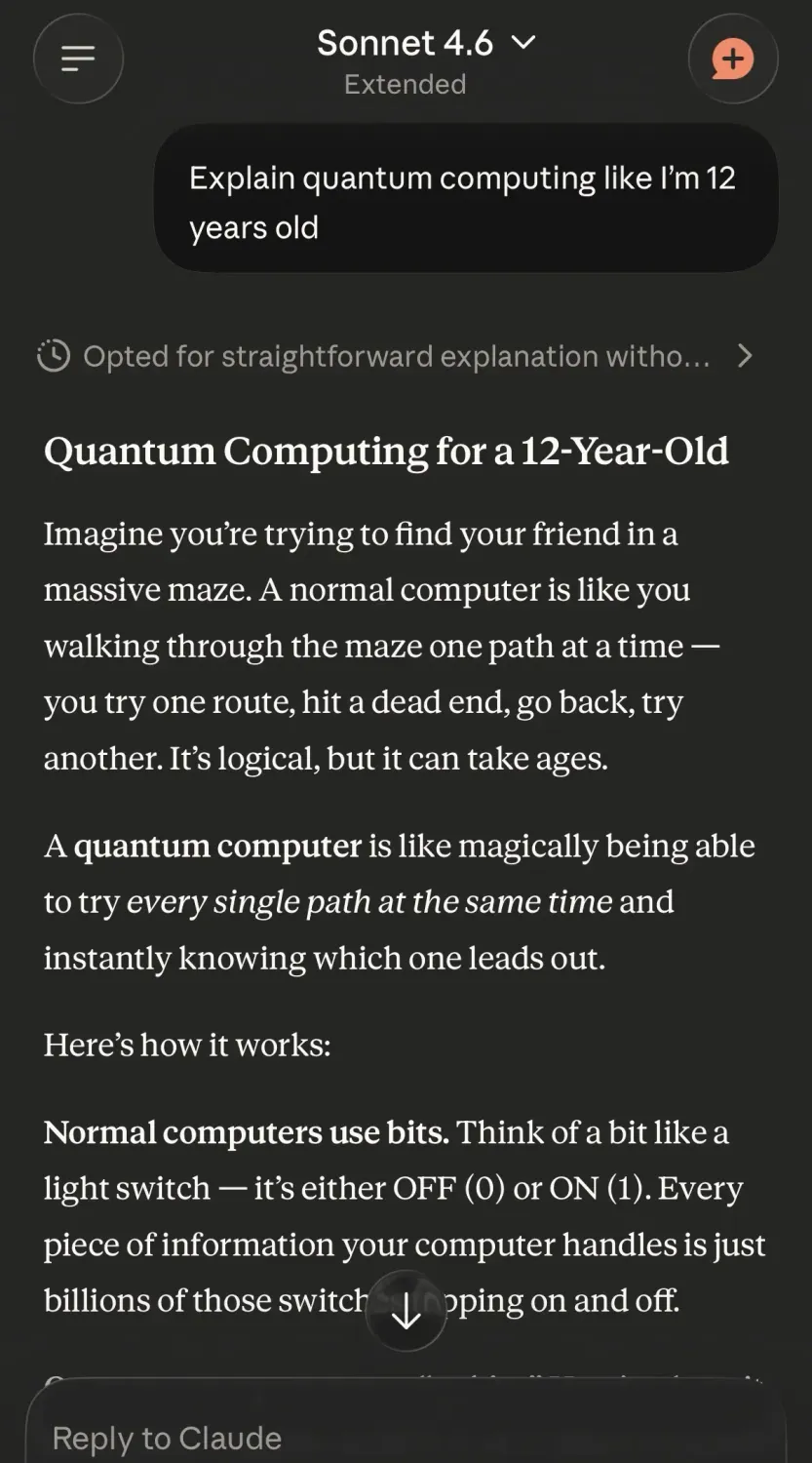
Claude usually adds a bit more context around the explanation. Good if you want to actually understand it rather than just get the answer.
ChatGPT tends to go straight to the answer with a clear structure. Good if you want something you can skim quickly.
Claude usually adds a bit more context around the explanation. Good if you want to actually understand it rather than just get the answer.
General AI: The Sci-Fi Stuff That Doesn't Exist
This is what makes for dramatic conference speeches and alarming headlines.
AI that can do everything a human can, adapt to any situation, and potentially become self-aware and decide we're all a bit redundant.
Current status: doesn't exist. Not even close. Not happening this decade, possibly not this century, possibly never.

Why does it dominate the news? "AI might one day become conscious" generates more clicks than "software got better at pattern-matching again."
One of these headlines is accurate.
Your actual risk isn't Skynet.
It's trusting AI output without checking it. Which brings us to the most important section in this entire guide.
🚨 The Confident Intern Problem (Why AI Makes Mistakes)
Here's the thing nobody explains clearly enough upfront: AI has no idea whether its answers are actually correct.
Meet the Confident Intern
Think of it like a new intern who is absolutely terrified of saying "I don't know." Ask them anything and they'll give you a confident, well-worded answer.
Sometimes it's accurate.
Sometimes it's completely fabricated.
The tone never changes either way.
This is called hallucination in AI circles. It's a polite way of saying "making things up with total confidence."
AI will tell you the Eiffel Tower is in Lyon if the pattern of your question somehow points that direction. It's not lying. It genuinely doesn't have a truth-checking mechanism.
It predicts likely text based on patterns, and sometimes those patterns lead it somewhere completely wrong.
The 2026 Update: "Live Eyes" Don't Fix Everything
GPT-5.2 and Claude 4.6 now use what's called Search-Augmented Generation, or SAG.
In plain English: they can search the live web while answering your question, rather than relying only on what they were trained on. This is a genuine improvement.
But it doesn't solve the Confident Intern problem. It just gives the intern a smartphone.
Here's why that matters:
They can still misread a source. AI tools don't inherently know whether an article is satire, sponsored content, or written by someone with an agenda.
They can still pick the wrong source. A confident-sounding website doesn't mean accurate information.
They still won't say "I'm not sure." The tone of certainty doesn't shift based on the quality of the evidence
The practical takeaway: Always verify anything important. Use AI as a starting point or a fast first draft. Never use it as your final word on anything that actually matters.
A badly framed prompt also makes this worse. It gives the Confident Intern just enough rope to hang you with.
If you want to learn how to ask questions that get genuinely useful results, how to write your first AI prompt (even if you're clueless) is the practical guide for that.
Most people's frustration with AI tools disappears once they understand how prompting actually works.
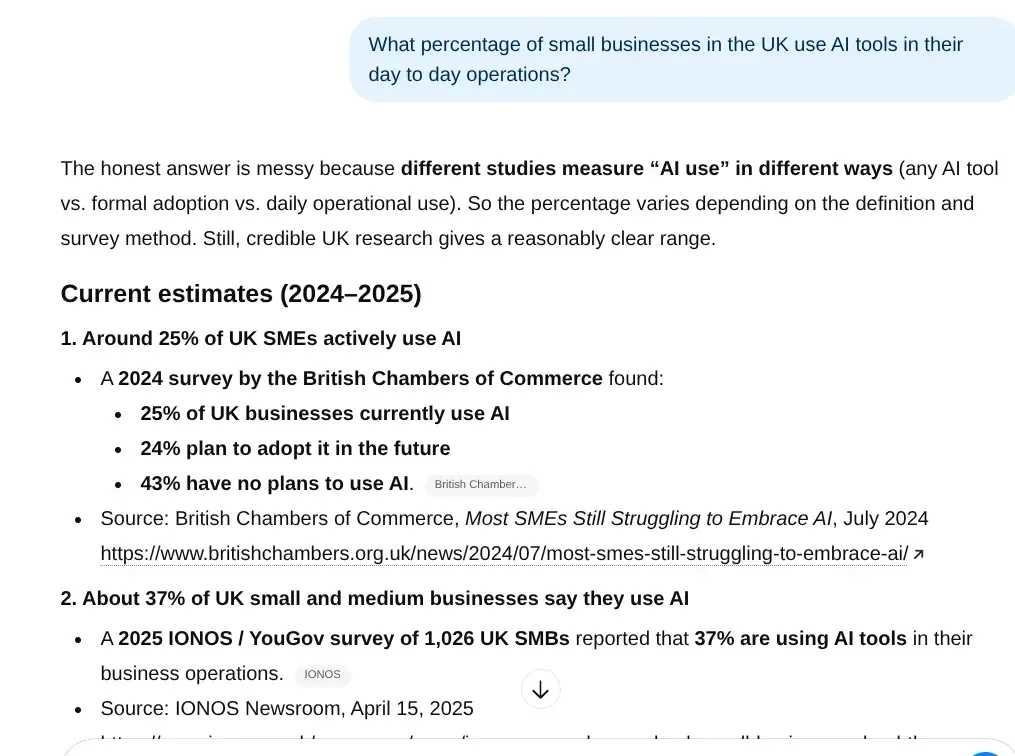
AI will give you a source with complete confidence. That does not mean the source says what the AI claims it says. Always click the link before you repeat the statistic to anyone who matters.
📺 Where You're Already Using AI (Without Realising It)
Let's make this concrete. Here's AI you've definitely used this week, whether you knew it or not.
📲 Your Phone
Face ID and fingerprint unlock
Predictive text (the thing that knows you were about to type something rude)
Photo organisation by people, places, and events
Voice assistants
Spam call and message filtering
That predictive text example, by the way, is a form of Natural Language Processing.
It's how AI reads and responds to human language, and it's why your phone occasionally autocorrects something entirely reasonable into something deeply embarrassing.
The full explanation is in NLP explained: why your phone thinks you're swearing.
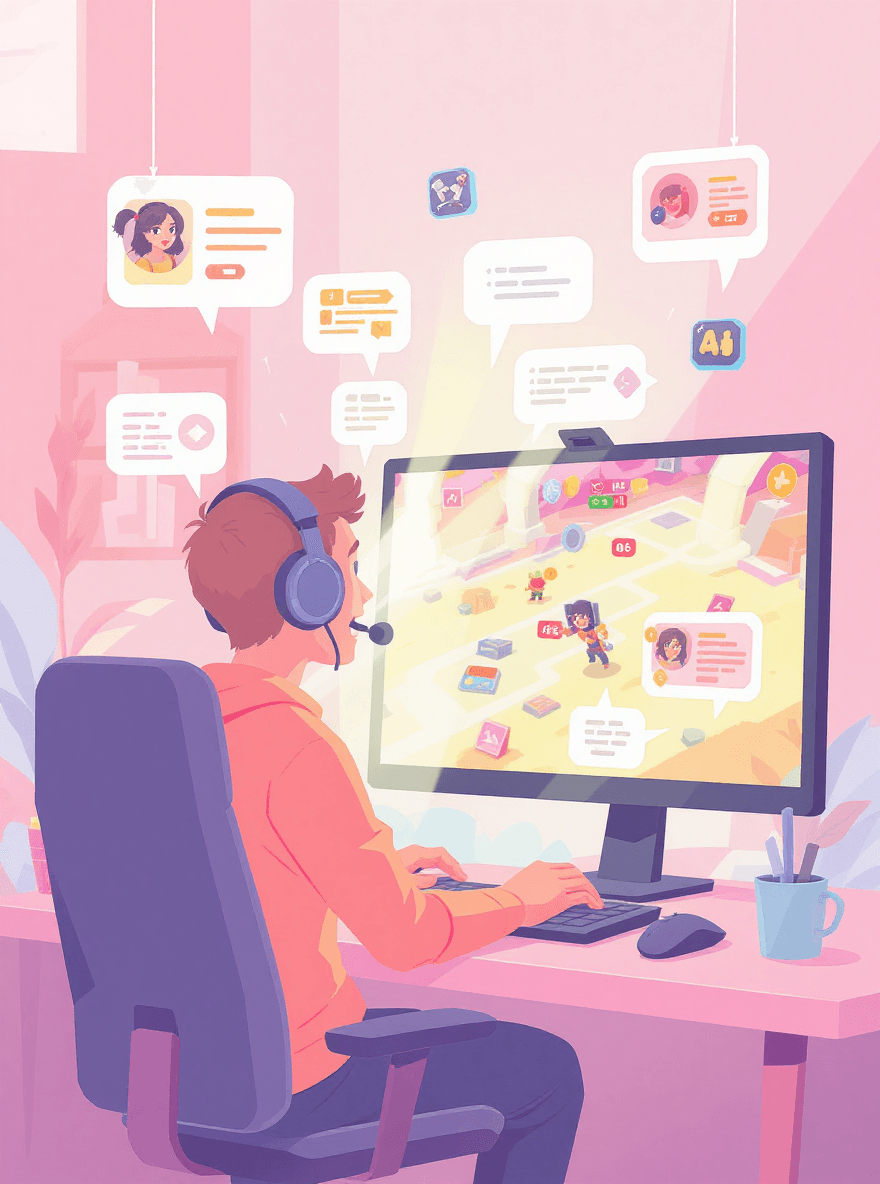
🎮 Entertainment
Netflix, Spotify, and YouTube recommendations
Social media feeds deciding what you see and in what order
Gaming opponents that adjust to your skill level in real time
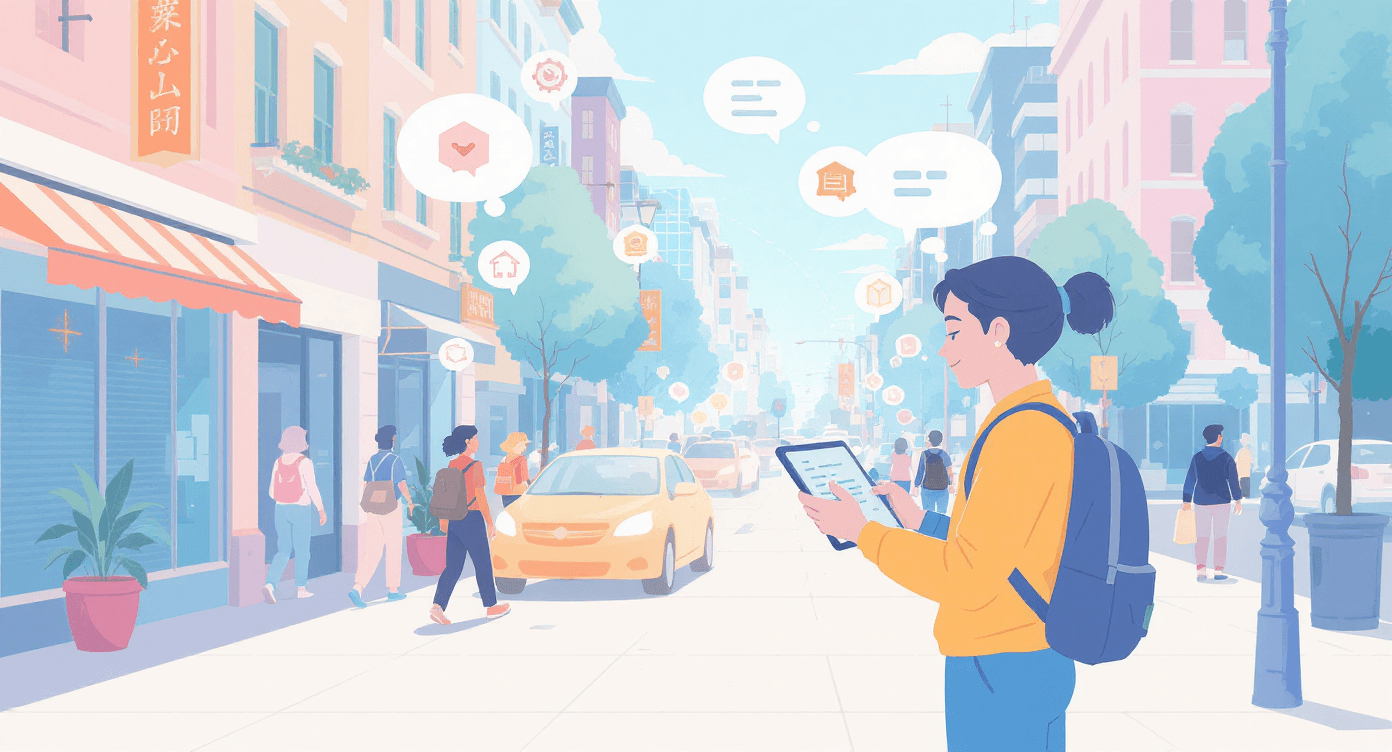
🧭 Navigation and Shopping
Google Maps traffic predictions and rerouting
Amazon's "people who bought this also bought" recommendations
Dynamic pricing on flights and hotels
Size recommendation tools based on returns data

🏦 Banking
Fraud detection flagging unusual transactions
Chat-bots handling basic queries before a human picks up
Credit decisions using pattern analysis across millions of accounts
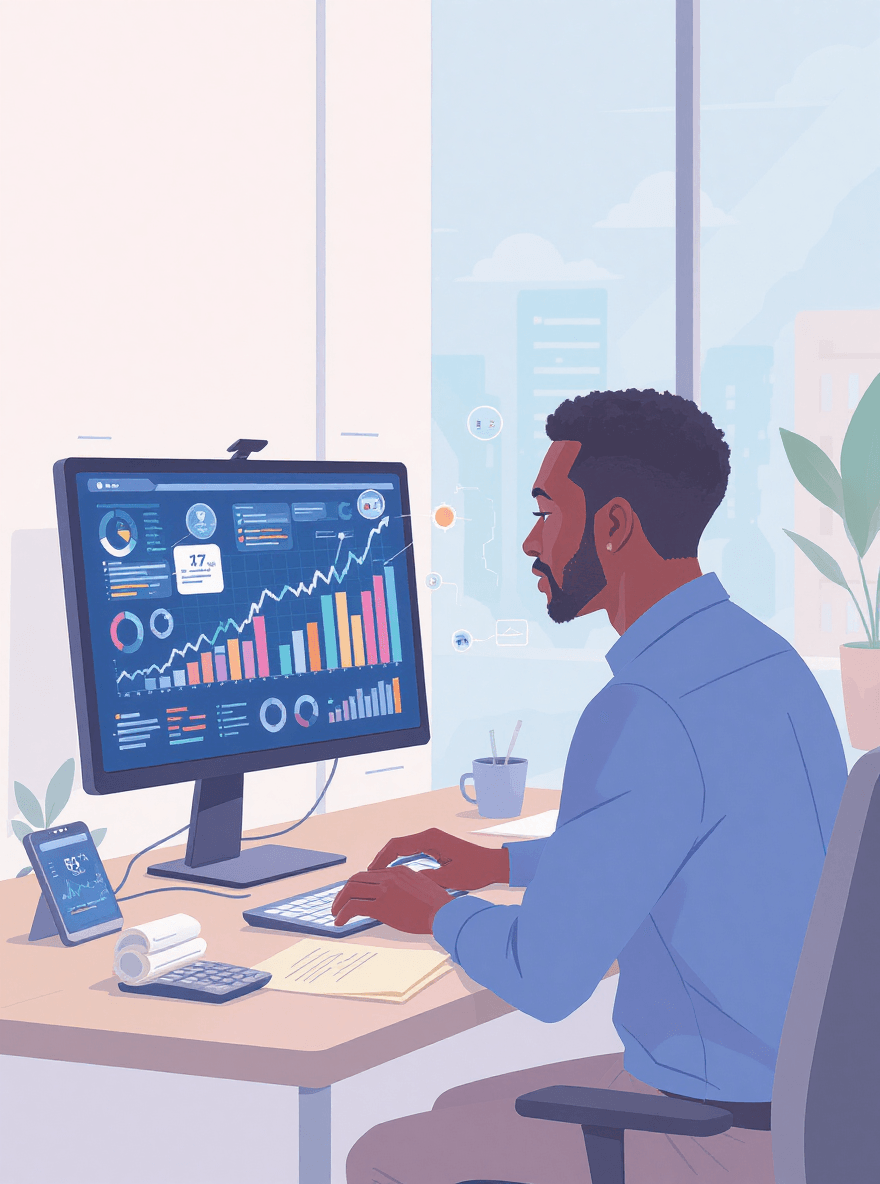
🧩 The pattern here: most AI is invisible, unglamorous, and quietly useful. No robot butlers. Just software making your Tuesday slightly less annoying.
📱 Tools You Can Actually Use Right Now
Enough theory. Here's where AI gets genuinely useful for normal people, and most of these are free.
🖋 Writing and Research
ChatGPT-5.2 and Claude 4.6 are your two main starting points. Both handle writing, research, brainstorming, and working through problems.
Free tiers are functional. Paid versions (roughly £18-22 per month) are noticeably sharper, but free is a perfectly sensible starting point.
Both tools now search the web in real time via SAG. They're no longer stuck working from outdated training data.
That said, remember the Confident Intern. Treat their answers as a well-researched first draft, not a finished fact.
Not sure what's worth paying for and what isn't? Free vs paid AI tools: what's actually worth your money works through that question specifically, with pricing as of 2026.
It'll stop you signing up for things you don't need.
Once you're comfortable with the basics, 7 hidden ChatGPT features that make you look like an AI pro is worth a read.
Most people use about 20% of what these tools are capable of, and the other 80% is genuinely useful once you know it's there.
Perplexity works like a search engine that actually answers your question rather than showing you fifteen links to wade through.
Research that used to take an hour now takes five minutes.
ChatGPT-5.2 and Claude 4.6 are your two main starting points. Both handle writing, research, brainstorming, and working through problems. Free tiers are functional. Paid versions (roughly £18-22 per month) are noticeably sharper, but free is a perfectly sensible starting point.
Both tools now search the web in real time via SAG. They're no longer stuck working from outdated training data. That said, remember the Confident Intern. Treat their answers as a well-researched first draft, not a finished fact.
Not sure what's worth paying for and what isn't? Free vs paid AI tools: what's actually worth your money works through that question specifically, with pricing as of 2026. It'll stop you signing up for things you don't need.
Once you're comfortable with the basics, 7 hidden ChatGPT features that make you look like an AI pro is worth a read. Most people use about 20% of what these tools are capable of, and the other 80% is genuinely useful once you know it's there.
Perplexity works like a search engine that actually answers your question rather than showing you fifteen links to wade through. Research that used to take an hour now takes five minutes.
👓 For Visual Content
Canva's AI features let you create professional-looking graphics without design skills or expensive software.
AI suggests layouts, removes backgrounds, and generates images from text descriptions.
The free tier gets you surprisingly far.
Nano Banana is a free AI photo editor worth knowing about if you run any kind of small business.
It turns average product shots into something that doesn't look like it was photographed in a cupboard at 11pm.
Full walkthrough in our Nano Banana: free AI photo editor guide.
Canva's AI features let you create professional-looking graphics without design skills or expensive software. AI suggests layouts, removes backgrounds, and generates images from text descriptions. The free tier gets you surprisingly far.
Nano Banana is a free AI photo editor worth knowing about if you run any kind of small business. It turns average product shots into something that doesn't look like it was photographed in a cupboard at 11pm.
Full walkthrough in our Nano Banana: free AI photo editor guide.
💫 For Productivity
NotebookLM is one of the most underrated free tools available right now.
Upload any document and it creates summaries, study guides, or even a podcast-style audio discussion of your content. Sounds gimmicky. It isn't.
NotebookLM: turn documents into podcasts in 3 minutes shows exactly how it works and why it's useful for anyone who deals with long documents regularly.
Notion AI adds summarisation and idea generation to your note-taking. Useful if you're already in Notion regularly.
NotebookLM is one of the most underrated free tools available right now. Upload any document and it creates summaries, study guides, or even a podcast-style audio discussion of your content.
Sounds gimmicky. It isn't.
NotebookLM: turn documents into podcasts in 3 minutes shows exactly how it works and why it's useful for anyone who deals with long documents regularly.
Notion AI adds summarisation and idea generation to your note-taking. Useful if you're already in Notion regularly.
Getting Started Without the Overwhelm
If you're staring at this list feeling slightly panicked: start with one tool, not five.
ChatGPT free version covers most beginner use cases. Get comfortable with that first, then expand.
For a ranked breakdown of where to put your energy, 7 beginner-friendly AI tools that actually make your life easier goes through each option by ease of use and immediate value.
It answers the "but which one first?" question directly.
And before you go too far down the rabbit hole, 5 common AI mistakes that beginners make (and how to fix them fast) will save you a lot of frustration.
Most people hit the same walls in the same order. This guide gets you past them faster.
If you're staring at this list feeling slightly panicked: start with one tool, not five.
ChatGPT free version covers most beginner use cases. Get comfortable with that first, then expand.
For a ranked breakdown of where to put your energy, 7 beginner-friendly AI tools that actually make your life easier goes through each option by ease of use and immediate value. It answers the "but which one first?" question directly.
And before you go too far down the rabbit hole, 5 common AI mistakes that beginners make (and how to fix them fast) will save you a lot of frustration.
Most people hit the same walls in the same order. This guide gets you past them faster.
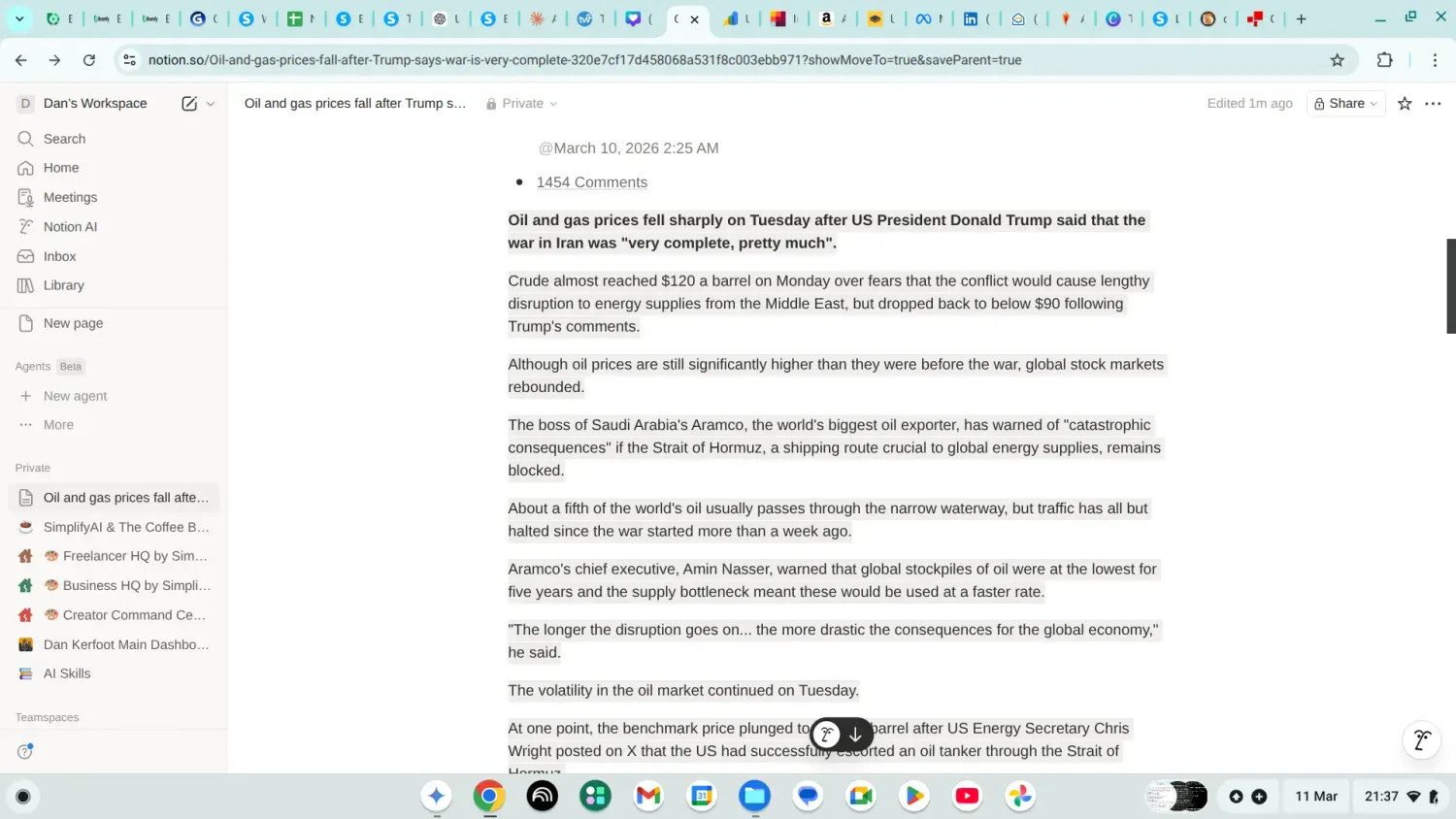
Long article about something complicated (The rise & fall of Oil/Gas Prices) One click and Notion AI gets to work.
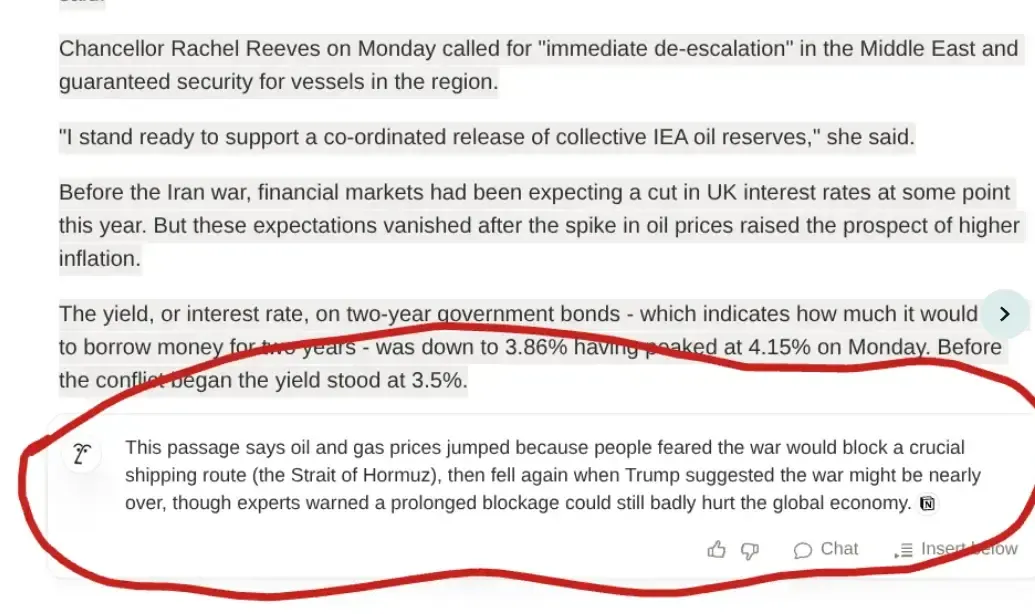
Dense financial article about oil and gas prices, turned into something a normal person can actually read.
If you have ever skipped a news article because it was too heavy going, this is the fix. Press explain and get the version that makes sense.
Long article about something complicated. One click and Notion AI gets to work.
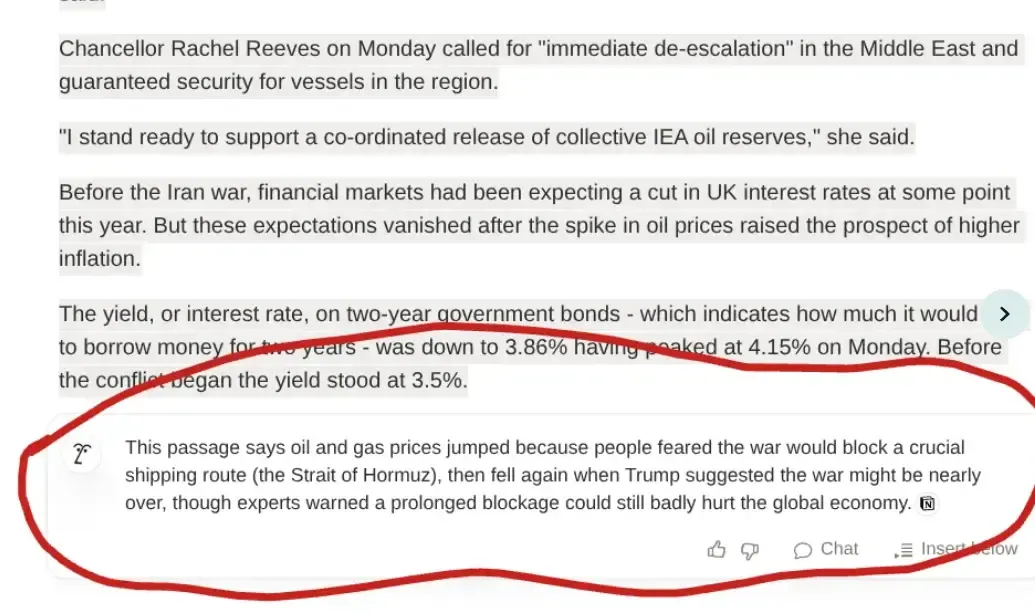
Dense oil and gas article, turned into something a normal person can actually read. If you have ever skipped a news article because it felt too heavy, this is the fix.
🚀 What AI Is Actually Good At (And What It Isn't)
Marketing departments have gone completely off the rails with AI claims. Here's an honest breakdown.
AI Is Genuinely Good At:
Spotting patterns in large amounts of data. Fraud detection, medical imaging, quality control. Anything involving millions of data points.
Automating repetitive tasks. Data entry, basic customer service responses, scheduling, categorisation.
Generating first drafts. Breaking through blank-page paralysis. Producing something to edit rather than something to create from scratch.
Processing information quickly. Reading thousands of documents or reviews in the time it takes you to make a cup of tea.
Being available at 2am without complaining. AI doesn't need sleep, holidays, or motivational talks.
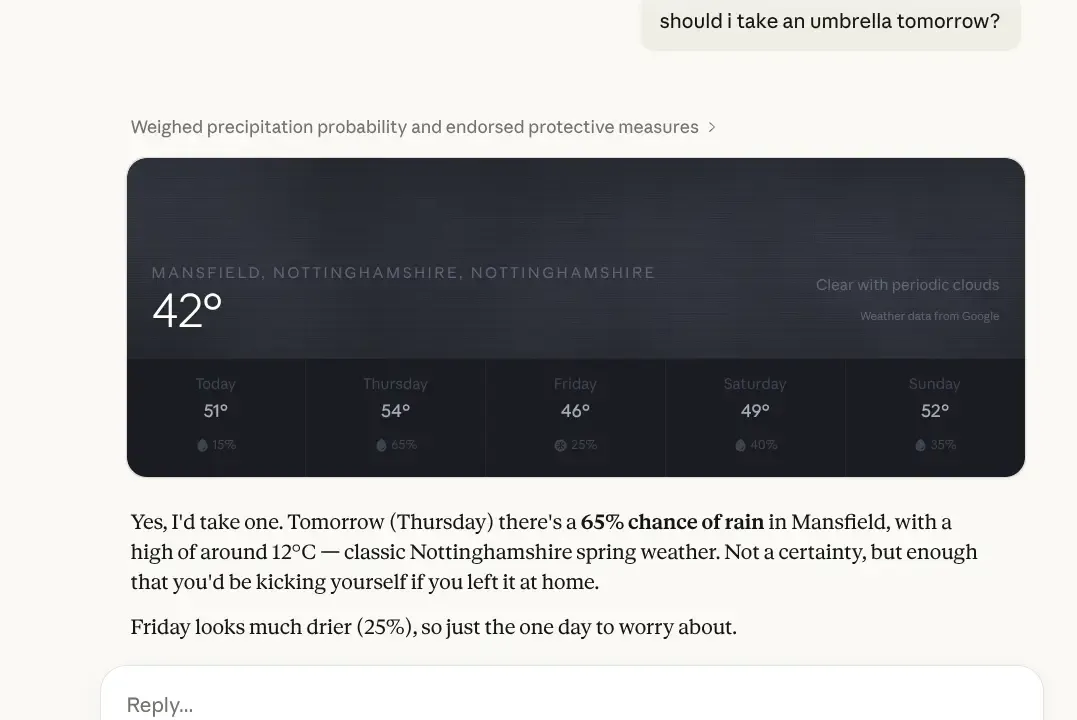
Specific to where i live, pulled from the Met Office, and delivered with the kind of dry humour your weather app never manages. This is Claude using live web search to give you an answer that actually means something, not a generic forecast for the whole of the UK.
Specific to Mansfield, pulled from the Met Office, and actually useful. This is AI using live web search to give you a real answer rather than a generic UK forecast.
AI Is Genuinely Bad At:
Understanding context and nuance. Misses sarcasm. Takes things literally. Struggles with cultural references and subtext.
Making ethical decisions. No judgement, no conscience. Shouldn't be making calls involving fairness or human welfare without oversight. Our AI ethics for beginners: simple rules you need guide covers the basics of using this stuff responsibly, including where the lines are.
Genuinely original creativity. Produces variations on existing patterns. Struggles with truly new ideas that require lived experience or lateral thinking.
Common sense. Ask AI what happens to cheese left in a hot car in July and it might explain the science of dairy spoilage in a tone of profound authority, rather than just saying "it melts and smells terrible."
Knowing when it's wrong. See: The Confident Intern.
😨 The Concerns Everyone Has
Let's address the worries that stop most people from trying AI tools properly.
🧑🌾 "Will AI Take My Job?"
The nuanced answer: AI will change jobs, not eliminate them wholesale.
What's Actually Happening Right Now:
Repetitive, rule-based tasks are getting automated:
Data entry and basic categorisation
Scripted customer service responses
Scheduling and calendar management
Initial document review and summarisation
New roles are emerging at the same time:
AI trainers and output reviewers
Implementation specialists
Prompt engineers
Ethics and compliance reviewers
Existing roles are shifting toward the parts that require actual judgement. The admin gets automated. The thinking stays human.
🤔 Who's Most at Risk vs. Who's Safest
Most at risk: roles that could be fully described as a flowchart. If your entire job follows the same process every time with no variation, some of it is vulnerable.
Safest: roles requiring genuine problem-solving, relationship-building, emotional intelligence, or decisions that depend on context. The "it depends" jobs.
Think about what spreadsheets did to accounting. They replaced some data-entry roles. They created demand for financial analysts who could actually interpret the numbers rather than just crunch them.
AI is that same shift, not an apocalypse
🔐 The Actual Answer to Job-Loss Anxiety
The people who get left behind won't be replaced by AI. They'll be replaced by other people who know how to use AI effectively.
That's not a threat. It's the most useful thing you can do with this information right now.
The guides below aren't "further reading." They're the practical answer to the worry you're sitting with.
If the question is "how do I stay relevant as AI changes how work gets done?", these are where you find out:
AI collaboration: how to use AI at work
How to build AI into your working week properly, not just for the occasional task. This is the one that changes how much you get done.
Build an AI workspace that works: the hub and spoke framework The system for making AI a consistent part of how you operate, not just a tool you remember when you're desperate.
If you do one thing after reading this guide, make it this.
How to integrate AI into your workflow without breaking everything A calm, step-by-step approach to adding AI without upending how you already work.
For tradespeople and local service businesses, the opportunity looks slightly different.
It's less about competing with AI and more about using it to run a leaner operation without taking on more staff. If that's your world:
AI for trades and local services: the blueprint for a hands-off business How to use AI tools to handle the admin, quoting, and follow-up work that currently eats your evenings.
Built specifically for trades and local service businesses, not office workers.

🧠 "Is AI Going to Become Sentient?"
Short answer: no.
AI has become very good at sounding human. Claude 4.6 and GPT-5.2 hold conversations that feel natural and thoughtful. Our brains interpret this as "this thing must be thinking."
It isn't. It's predicting likely sequences of words based on training patterns.
Asking whether AI will become sentient is roughly equivalent to asking whether your calculator will develop feelings about your tax return.
They're both running maths. One just does it at a vastly larger scale.
📹 "What About Privacy?"
This is a valid concern and one worth taking seriously before you start pasting things into tools.
Here's the "coffee shop rule" of AI privacy: would you be comfortable saying this out loud in a busy coffee shop, where anyone could hear? If not, don't put it into a free AI tool.
Free tools: Your inputs may be used to improve the model. Don't put confidential business data, client information, or anything genuinely sensitive into free-tier tools.
Paid tools: Most explicitly state they don't train on your data. Check the terms. Better for anything business-related.
Before you paste a client's contract, a sensitive internal document, or anything with personal data into an AI window, spend ten minutes with the beginner's AI security guide: what's safe to share.
It goes through exactly what's fine, what's risky, and what you should never do, with specific examples for small business owners. Most people get this wrong in ways that are completely avoidable.
🎯 "How Do I Know If AI Information Is Accurate?"
You don't, automatically. That's the whole point of the Confident Intern section.
Practical rules:
Verify anything with real consequences before acting on it
Be especially careful with medical, legal, or financial information
If AI gives you a citation, check it actually exists before you use it publicly
Treat web-augmented answers (SAG) as better sourced, not automatically correct
They still pick up satirical articles and present them as fact. They still confidently cite sources that don't exist. The Confident Intern now has Google.
That's progress, not a cure.
🖼 The Bigger Picture: Why AI Actually Matters
Here's the part that doesn't get talked about enough, because it's less dramatic than robot uprisings.
AI is making capabilities accessible that used to require serious budgets or years of training.
🦾 What Changed
Before these tools existed:
Professional-quality writing required real talent or expensive help
Graphic design needed software skills and design knowledge
Solid research took days
Data analysis required specialist expertise
Now, a small business owner has access to tools that were previously available only to companies with full marketing departments.
That's a genuine shift in what's possible on a limited budget.
A Harvard study found that management consultants using AI completed tasks 25% faster, finished more tasks overall, and produced work rated over 40% higher quality compared to a control group who worked without it.
The difference is this: treating AI as a fast, capable assistant rather than an oracle.
AI handles the grunt work. You do the thinking. That combination outperforms either one alone.
If you're ready to build that into how you actually work, here are the guides that matter:
AI collaboration: how to use AI at work Practical frameworks for using AI as a proper working partner, not just a search engine you type at.
How to integrate AI into your workflow without breaking everything A step-by-step approach to adding AI tools into an existing routine without losing two days getting your head around new software.
Build an AI workspace that works: the hub and spoke framework The system for anyone who wants something that actually scales, not just a collection of tabs you open when you remember to.
✅ In fact, recent UK studies show that 73% of workers using AI report feeling more creative in their roles, not replaced
🪜 Your Immediate Next Step
Reading about AI and using it are completely different experiences. The gap between "I understand what AI is" and "I actually find this useful" closes the moment you type your first prompt.
Pick One. Do It Today.
Go to ChatGPT (free, no credit card needed) and ask it to write five subject lines for an email you actually need to send this week
Try Perplexity and ask something you'd normally spend 20 minutes googling
Ask any AI tool to explain something confusing in your industry "like I'm twelve years old"
Ten minutes. That's it. You'll understand more from ten minutes of trying than from reading another three guides.
If you want a structured starting point, our Free Beginner's AI Cheat Sheet covers the main tools, the most common beginner mistakes, and exactly what's safe to share with AI tools.
😀 Keep Going From Here
If You Want to Understand How AI Actually Works
Machine learning for beginners: how AI really works and what is deep learning: the AI that knows you better than your mum explain what's happening under the hood, without needing a computer science degree.
NLP explained: why your phone thinks you're swearing covers why AI sometimes misreads tone, context, and your entirely reasonable choice of words.
If You Want to Pick the Right Tools
7 beginner-friendly AI tools that actually make your life easier ranks each one by ease of use and actual usefulness, not hype.
Free vs paid AI tools: what's actually worth your money helps you work out when it makes sense to pay and when the free version is perfectly fine.
Is Claude AI better than ChatGPT? 5 game-changing features gives you a direct comparison before you commit to either

If You Want to Avoid the Usual Traps
5 common AI mistakes that beginners make (and how to fix them fast) is the guide most people wish they'd read first. Short, specific, and genuinely useful.
How to write your first AI prompt (even if you're clueless) turns the difference between a vague question and a useful answer into something you can actually apply.
If You Want to Use AI to Build or Run a Business
These are the high-value guides. If you're a freelancer, a sole trader, or running a small team, start here.
How to use AI: 4 simple ways beginners can start today The practical starting point. Real use cases, zero theory.
AI in Your Industry: The Master Prompt Guide The starting point for all eight industry guides. Core prompts and practical frameworks that work across every sector, whatever your business does.
AI collaboration: how to use AI at work How to use AI as a genuine working partner across your whole week, not just for the odd task.
How to integrate AI into your workflow without breaking everything A calm, structured way to add AI into an existing routine without the chaos.
Build an AI workspace that works: the hub and spoke framework The system for anyone serious about making AI a consistent part of how they operate.
What are AI agents? (And why they're not just ChatGPT's overachieving cousin) The next step beyond using AI as a tool. Worth understanding before the term gets buried in hype.
If You Want to Stay Safe and Use AI Responsibly
The beginner's AI security guide: what's safe to share and AI ethics for beginners: simple rules you need are both short and worth reading before you go too deep.
🚀 The Bottom Line
AI is software that learns from patterns and makes predictions.
It's not magic, not conscious, not about to take over anything, and not as complicated as the tech industry wants you to believe.
You're already using it daily. The tools available right now are genuinely useful for writing, research, and content creation.
They save real time when used correctly.
The limitations are real too:
AI makes confident mistakes
It carries biases from its training data
It can now search the web, but it still can't tell satire from fact
It cannot replace human judgement on anything that actually matters
Use it as a fast, capable assistant. Not as the final word.
Getting started is easier than learning to use Excel. If you can type a question, you can use AI.
The risk isn't Skynet.
It's either avoiding something genuinely useful out of misplaced fear, or trusting it blindly without checking what it's telling you.
Both of those are fixable.
You've already done the first one by reading this.

No Jargon AI
Making AI make sense - one prompt at a time
Declaration
Some links on this site are affiliate links.
I may earn a small commission, but it doesn't
cost you anything extra.
I only recommend tools i trust
Thank you for your support
Socials
Location
Based in Mansfield, Nottinghamshire
Simplifying AI for beginners, no matter
where you're starting from.
All Rights Reserved.